
Upsert is insert and update in one operation. For each row, Salesforce checks whether a matching record already exists. If it does, the row updates it. If it does not, the row creates a new one.
That is the whole idea. Everything that goes wrong with upserts goes wrong in the word “matching”.
Why it matters
Without upsert, a recurring load means splitting your file. New records in one file to insert, existing records in another to update, and the split itself has to be worked out first, usually by exporting the org and comparing.
With upsert, the same file runs every time. Rows that exist get updated, rows that do not get created, and you never maintain two versions of the same data.
For anything that repeats, a monthly list, a nightly export, a partner feed, this is the difference between a five minute job and an hour.
The match key
Upsert needs to know what makes a record the same record. In the standard Data Loader this means an External ID field, a custom field marked as External ID and unique, holding the identifier from the source system.
Three rules for choosing one:
It has to be stable. If the value changes when the business changes, you will create duplicates on the day it changes. Email addresses fail this test. Customer numbers usually pass.
It has to be unique. If two source records share a value, one of them will overwrite the other and no error will tell you.
It has to exist on every row. A blank match key means an insert, every time, whether or not the record already exists.
Where upserts go wrong
Blank keys create duplicates. A file where 12% of rows have an empty external ID will create 12% duplicates on every run, and the run will report success each time.
Case and whitespace matter more than you expect. ACME-001 and acme-001 may not match, depending on configuration. Normalise before loading.
Blank columns can overwrite good data. If a column exists in your file but is empty for some rows, you can wipe populated values in Salesforce. If your source does not have the data, leave the column out rather than including it empty.
Upsert does not merge. It updates the matched record with your row’s values. If the org has better data in a field than your file does, the upsert will replace it.
Reparenting is quiet. If your file’s lookup column points at a different parent than the existing record, the upsert moves the record. That is sometimes exactly right and sometimes a silent disaster.
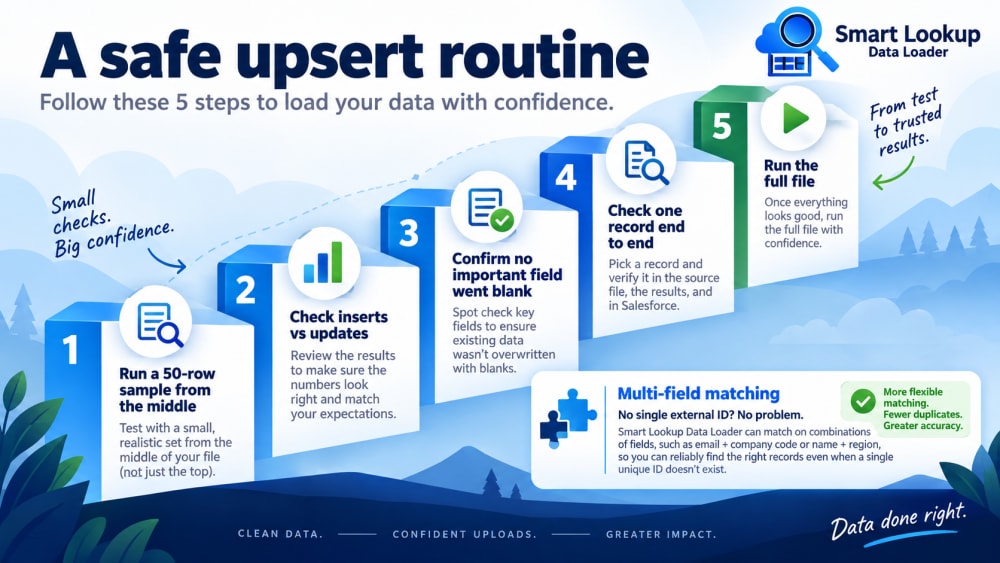
A safe upsert routine
- Run a sample of 50 rows from the middle of the file, not the top.
- Check the split of inserts versus updates against what you expected. A file you believe is 90% existing customers should not come back 90% inserts.
- Confirm no field you care about went blank.
- Check one record end to end against the source.
- Then run the full file.
Multi-field matching
A single external ID is the cleanest key when one exists. Often it does not, because the source is a spreadsheet somebody maintains rather than a system with its own identifiers.
Smart Lookup Data Loader lets you upsert on a combination of fields instead, so you can match on email plus company code, or name plus region, without first creating and populating a custom External ID field across your entire object. For files arriving from outside a formal system, that is usually the difference between an upsert you can trust and one you cannot.

Import by name, email or code. Skip the VLOOKUP.
Smart Lookup Data Loader is a free, 100% native Salesforce app by TwinStack. Lookups resolve as records land, upserts match on several fields, and every failed row tells you why.
Get It Now, Free