New on AppExchange · Security reviewed · Free
Smart Forms & Surveys lets Salesforce admins build public web forms and surveys in a drag-and-drop builder, publish them on a Salesforce Site, and turn every submission into a new or updated record in your org. No code, no external callouts and no third-party servers.

Registrations, applications, feedback and enquiries all start with someone outside your org filling in a form. Getting those answers into the right Salesforce record is where most teams end up compromising.
Free and built in, but limited to Leads or Cases, with basic generated HTML and no builder for surveys or multi-step forms.
Polished builders, but usually paid, and every submission passes through the vendor's servers before it reaches Salesforce.
A developer builds a Visualforce or Lightning page for each form, and every new question becomes another change request.
The result is forms that are hard to change, data that travels further than it needs to, and answers that still have to be copied into the record where they belong.
You design the form in Salesforce, publish it on a Salesforce Site, and share the public link. When someone submits, the record is created or updated in your org. The form, the submission and the data never leave the platform.
Build the form in the drag-and-drop Form Builder, choose the object it writes to, and publish it to a Salesforce Site.
Each submission creates or updates a record on any standard or custom object, under the security rules you set.
Set up the public site once, then build and publish as many forms as you need from the same builder.
Install Smart Forms & Surveys from AppExchange. It adds the Forms, Form Submissions, Form Builder and Form Configuration tabs to your org.
Open the Form Configuration tab. Its site checker confirms your public form site is set up and active, and the built-in instructions walk you through anything missing.
Guest visitors submit through a dedicated least-privilege permission set, so you decide exactly which objects and fields a public form can write to.
Drag questions into the Form Builder and choose the standard or custom object each submission should create or update. No code required.
Publish the form to your Salesforce Site and share its public link on your website, in an email or in a QR code.
Anonymous visitors fill in the form, and the record is created or updated in your org, ready for your Flows, reports and list views.
Everything below ships in the free managed package.
Design forms and surveys visually, with no code and no HTML to maintain.
Runs entirely on the Salesforce platform, with no external callouts and no third-party services.
Publish to a Salesforce Site so anonymous visitors can submit without a login.
Each form creates or updates records on the object you choose, not just Leads or Cases.
Guest access runs through a dedicated permission set that grants only what each form needs.
Respects object and field-level security on guest submissions, and runs in user mode with sharing enforced.
The Form Configuration tab verifies your public site and shows step-by-step instructions.
Listed as free on AppExchange. It never requires payment, and there is no paid tier.
Build the form visually inside Salesforce, so changing a question is an admin task, not a development ticket.
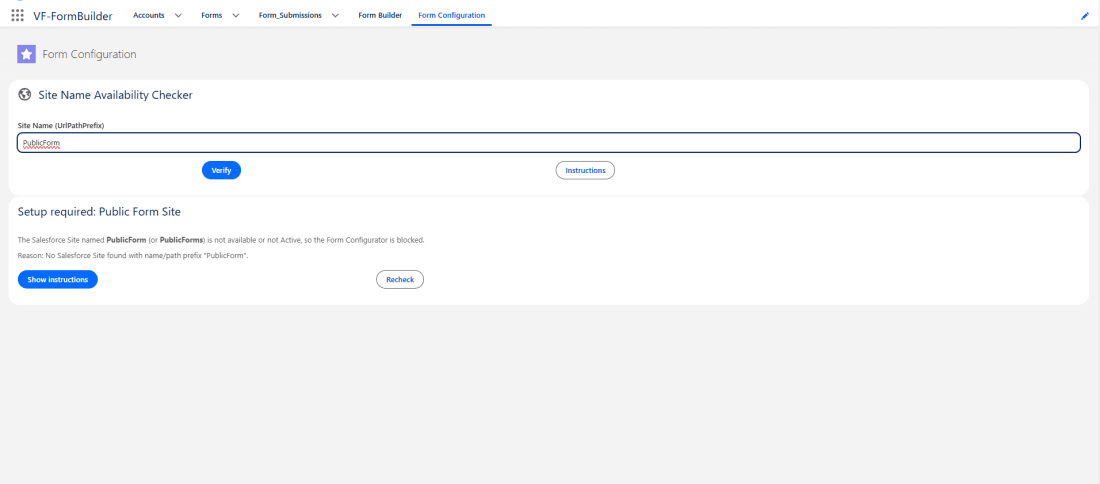
Before a form goes live, the Form Configuration tab checks that your public form site exists and is active, and tells you exactly what to fix if it is not.
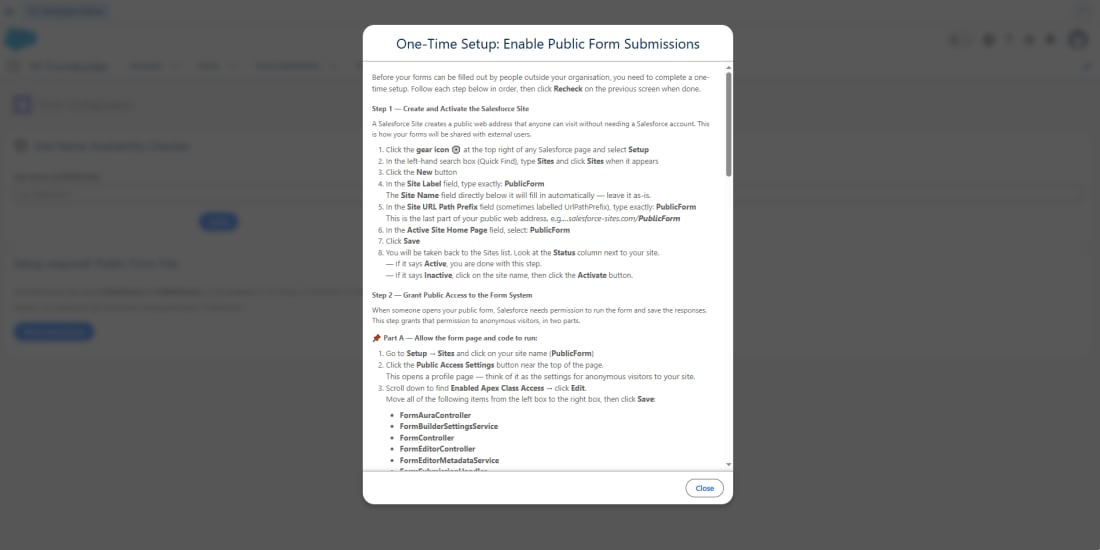
The instructions sit next to the checker, so a first-time setup does not mean searching through documentation.
Most form tools collect the answers on their own servers and then send them to your CRM. Smart Forms & Surveys does not. The form is hosted on your Salesforce Site and the submission is written straight to your org.
Forms are built, hosted and submitted inside Salesforce. There is no external data transfer.
No OAuth tokens and no third-party servers, so there is no extra vendor holding access to your data.
Anonymous visitors submit through a dedicated permission set that grants only what each form needs.
Guest submissions respect your object and field permissions, and the app runs in user mode with sharing enforced.
Public forms are open to anyone with the link, so give the guest permission set access only to the objects and fields your forms need.
The value is not just a new form. It is the manual work and the extra tools that disappear.
Registrations, applications and enquiries land in Salesforce the moment they are submitted, ready for follow-up.
No exports, imports or re-typing from another tool, and none of the errors that come with them.
Free to install and use, with no per-submission or per-form charges.
With no third-party form service in the path, your data stays under Salesforce security.
Submissions write to the objects you already use, so existing Flows, reports and list views just work.
Changing a question or adding a form is done in the builder, without a developer.
| Feature | Web-to-Lead / Web-to-Case | Third-party form builders | Smart Forms & Surveys |
|---|---|---|---|
| Cost | Included with Salesforce | Usually a paid plan | Free |
| Form builder | No, generates basic HTML | Yes | Yes, drag-and-drop |
| Objects it can write to | Leads or Cases | Depends on the connector | Any standard or custom object |
| Update existing records | No | Varies | Yes |
| Where the form is hosted | Your own website | The vendor's servers | Your Salesforce Site |
| Third-party server in the path | No | Yes | No |
| Surveys | No | Yes | Yes |
Based on publicly documented features as of October 2026.
Keep your forms where they are and send every response into Salesforce with Google Form Auto Sync, our other free native app.
Build, host and manage the form in your own org with Smart Forms & Surveys, with no Google account or outside service involved.
Public forms that write to the objects your programmes already use.
Capture leads from your website and landing pages straight into Salesforce, ready for assignment and follow-up.
Run registration forms that create records as people sign up, so organisers always see an up-to-date list.
Send surveys after a purchase, a support case or an event, and report on the answers in Salesforce.
Collect job and internship applications as records your team can review and track.
Turn intake and request forms into structured records instead of emails and spreadsheets.
Yes. Smart Forms & Surveys is a free, native app on the Salesforce AppExchange. It never requires payment, and it lets admins build public web forms and surveys with a drag-and-drop builder, with no code.
No. Forms are published on a Salesforce Site, so anonymous visitors can open the public link and submit without logging in. Guest access runs through a dedicated least-privilege permission set.
Any standard or custom object. A submission can create a new record or update an existing one, so the same tool works for Leads, Contacts, Cases, custom application objects and more.
No. Smart Forms & Surveys runs entirely on the Salesforce platform. There are no external callouts, no OAuth tokens and no third-party servers, so submissions go straight from your Salesforce Site into your org.
Guest access runs through a dedicated least-privilege permission set. Submissions respect object and field-level security, and the app runs in user mode with sharing enforced, so a guest can only write what you have allowed.
No. Forms are designed in a drag-and-drop builder, and the Form Configuration tab checks that your public site is ready and shows step-by-step instructions for anything that is missing. A Salesforce admin can do the whole setup.
Lead capture, event registration, surveys, feedback, intake and application forms, and any other form where the answers belong in Salesforce.
If your team already builds forms in Google Forms and wants the responses in Salesforce, use Google Form Auto Sync. If you want the form itself to live on Salesforce, built and hosted in your own org with no Google account involved, use Smart Forms & Surveys. Both are free.
Nothing. It is listed as free on AppExchange and never requires payment.

Install Smart Forms & Surveys from the Salesforce AppExchange and publish your first public form today.
Get it on AppExchangeFree managed package · Never requires payment · Published by TwinStack Solutions
Native apps built around the same idea: less manual work between your data and your Salesforce org.

Responses, straight into Salesforce.

Import smarter. Map faster.

Why can this user see that?
Guides from our team on getting form data into Salesforce the right way.
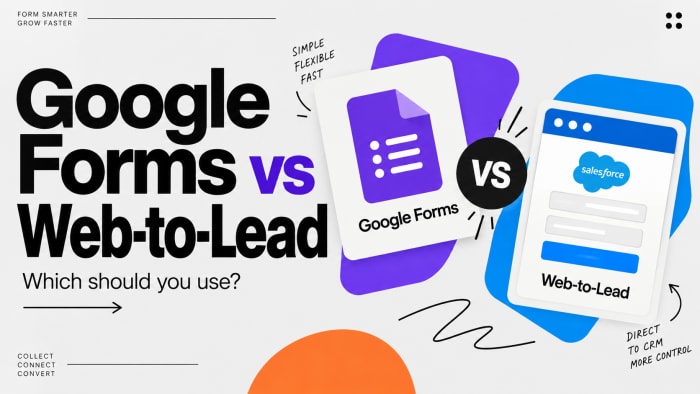
Cost, objects, limits and spam, compared honestly.
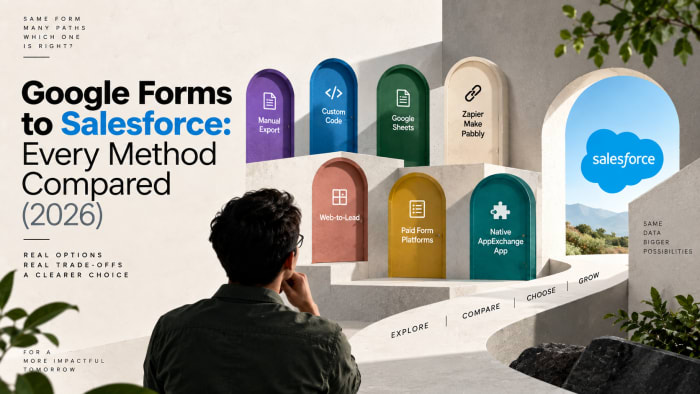
Zapier, connectors, Web-to-Lead, custom code and native apps.
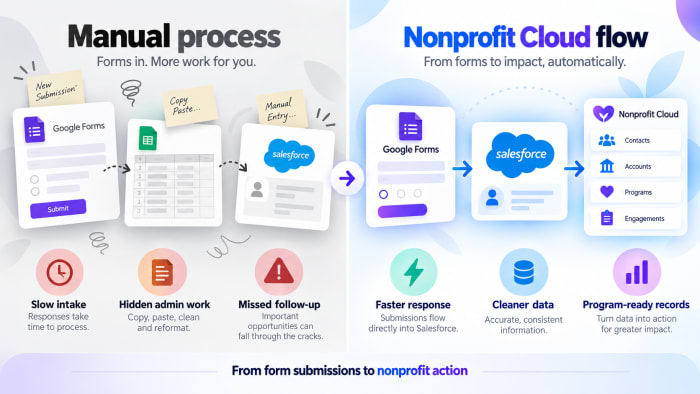
Intake, sign-ups and programme forms for NPSP and Nonprofit Cloud.