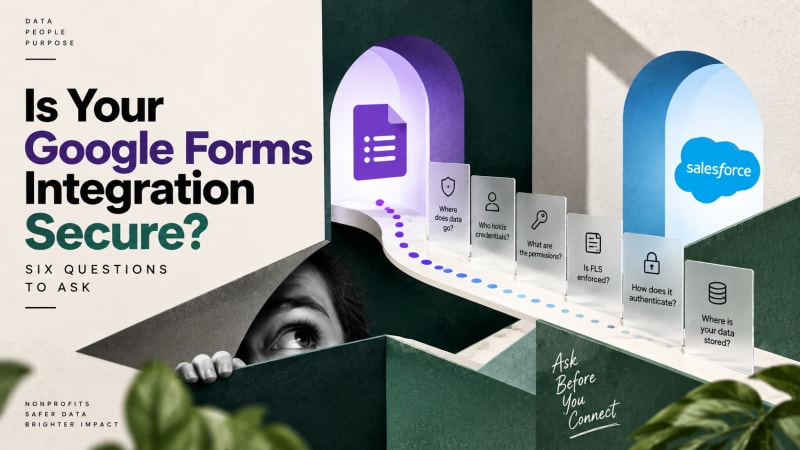
When the original poster in one widely-read Trailblazer Community thread asked how to get Google Forms into Salesforce, they added a second question that almost nobody answered: how secure is this integration?
It is the right question and it deserves a proper answer. Here are the six things to check about any form integration, and how to evaluate the options against them.
1. Where does the data physically travel?
Draw the path. Every hop is a place where your data exists, briefly or otherwise.
| Approach | Path the data takes | Parties touching it |
|---|---|---|
| Via an automation platform | Google servers to the platform servers to Salesforce | Three, including a company in a jurisdiction you may not have chosen |
| Via a Sheets connector | Google Forms to Google Sheets to the connector vendor to Salesforce | Three, plus a spreadsheet shared with more people than you think |
| Direct | Google Forms to Salesforce | Two, both of which you already have a contract with |
This is not a claim that automation platforms are careless. The major ones are SOC 2 certified and take security seriously. It is a claim that fewer parties is structurally safer than more parties, and that the difference matters more the more sensitive your data is.
2. Who holds credentials to your Salesforce org?
This is the question compliance teams actually care about.
When you connect Salesforce to a third-party automation platform, you authorize that platform to act in your org. Those credentials sit in their system. If that vendor is breached, the attacker has a path into your CRM alongside everybody else's.
With a native package, the credentials for the connection are created in your org, held in your Google Form's script properties in your own Google account, and scoped to a Run-As user you control. No external company holds them.
3. What can the integration user actually do?
Over-permissioned integration users are one of the most common findings in a Salesforce security audit. The usual pattern is that somebody set the integration up under a System Administrator profile because it was quickest, and it never got tightened.
Check yours. The integration user should:
- Be a dedicated integration user, not a named person's account
- Have access only to the object it writes to and the fields it needs
- Not have Modify All Data, View All Data, or an admin profile
- Be documented so the next admin knows what it is for
Google Form Auto Sync ships with a permission set scoped to exactly what it needs, and a separate viewer permission set for people who should read responses but not configure new forms.
4. Does the write enforce field-level security?
This is a subtle one that most people never check.
Apex can run in system context, which bypasses field-level security and sharing rules entirely. A lot of integrations do this because it is easier and never fails.
It also means the integration can write to fields the running user should not be able to touch, which quietly undermines whatever field-level security you have configured.
Google Form Auto Sync performs its insert as the user, so field-level security is enforced on every record created. If the Run-As user cannot write to a field, the integration cannot either.
Ask this question of any integration you evaluate. The answer tells you a lot about how carefully it was built.
5. How does it authenticate?
Look for OAuth 2.0. Specifically, look for a flow that does not involve storing a username and password anywhere.
Google Form Auto Sync uses the OAuth 2.0 Client Credentials Flow against a Salesforce External Client App. The script holds a Consumer Key and Secret, not a password, and the resulting access is bounded by the Run-As user's permissions.
If any integration you are evaluating asks you to paste a Salesforce password and security token into a form field, that is a red flag in the 2020s.
6. What happens to your data at rest?
For a direct integration, the answer is simple: nothing, because there is no third-party storage. The payload goes from the form to your org and the only copy that persists is the Salesforce record.
For anything with middleware, ask: how long are task logs retained? Do those logs include the payload? Who at the vendor can read them? For a form collecting names and email addresses this may not concern you. For a form collecting health information, financial details, or data about children, it should.
Which sectors does integration security decide the answer for?
Nonprofits handling beneficiary data. Client intake forms, case notes, safeguarding reports. Funders and boards increasingly ask who processes this data.
Healthcare and anything touching PHI. A Business Associate Agreement with each vendor in the path, or the vendor is not in the path.
Education. Student data, often about minors, under FERPA or local equivalents.
Financial services. Vendor risk assessment on every processor.
Anyone under GDPR. Every third party in the path is a processor you must identify, contract with, and disclose.
In each case, removing a party from the data path removes a whole workstream of compliance effort. That is often worth more than the subscription saving.
What should you ask an integration vendor?
Ask any vendor, including us:
- Draw the data path. How many companies touch this payload?
- Where are my Salesforce credentials stored, and by whom?
- What permissions does the integration user hold?
- Does the write enforce field-level security, or run in system mode?
- What authentication flow is used?
- What is logged, where, for how long, and who can read it?
A vendor that cannot answer these quickly and specifically has not thought about them.
What are TwinStack answers to these questions?
- Two: Google and Salesforce. No TwinStack infrastructure is in the path.
- In your own Google Form's script properties and your own Salesforce org. We do not hold them.
- Whatever the shipped permission set grants, scoped to the
Form_Response__cobject. You can tighten it further. - Enforced. Every insert runs as the user.
- OAuth 2.0 Client Credentials Flow against a Salesforce External Client App.
- Nothing on our side. There is no our side.
The package has passed Salesforce Security Review, which is a prerequisite for AppExchange listing and is not a trivial bar.
Capture every submission, free.
Google Form Auto Sync posts each Google Form response straight into your own Salesforce org. No middleware, no task counter, no tiers.
Get It Now, FreeThis post is general guidance, not legal or compliance advice. Your obligations depend on your jurisdiction, sector, and the data you collect. Talk to your compliance team.