Short answer: the Omni-Channel softphone does not sign in reliably in mobile browsers, and on iPhone the desktop-mode workaround fails. We signed field agents in to the Amazon Connect softphone through Salesforce instead. Calls now work on both Android and iPhone, and Salesforce Voice still creates and links the case automatically.
The challenge: a great call centre, but only at a desk
Many service teams rely on Salesforce Voice (formerly Service Cloud Voice) powered by Amazon Connect to answer customer calls and log them as cases automatically. It works well for agents at a computer. But field agents are rarely at a desk. They are visiting sites, travelling between appointments and working where a laptop is not practical. They needed to take and place customer calls from the phone in their pocket.
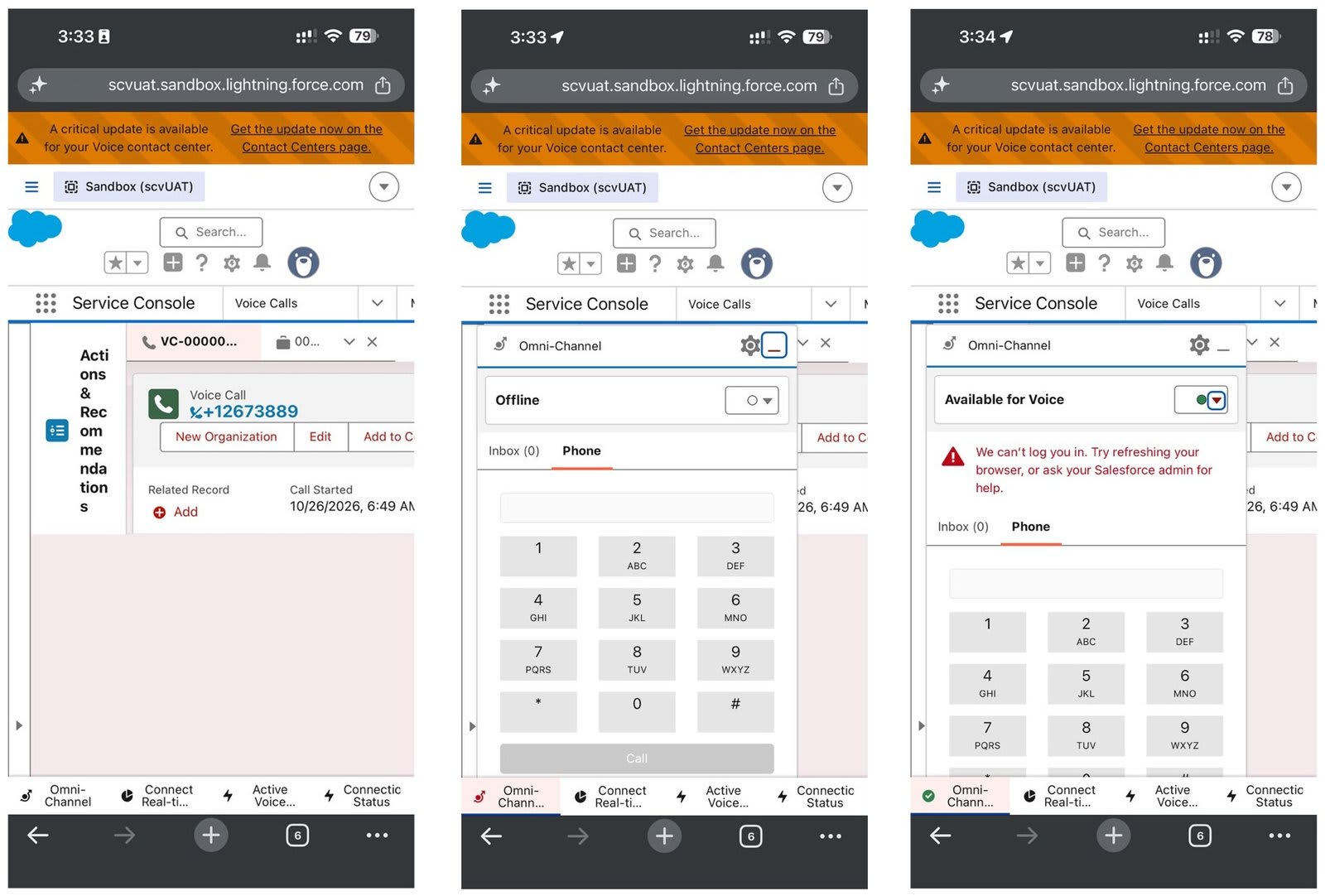
That is where we hit a wall. Salesforce limits the Service Console and Omni-Channel softphone in mobile browsers. On Android, there is a workaround: switch the browser to desktop mode and the softphone works. On iPhone, the same trick does not.
Why the iPhone was the sticking point
Browsers on iPhone, whether Safari or Chrome, are built on Apple's browser engine. Its strict privacy rules interrupt the single sign-on step that the softphone needs to log an agent in. The softphone never finishes signing in, and the agent cannot make or receive calls. In a team with a mix of Android and iPhone devices, some agents are left out.
The usual answer is to buy a separate, paid mobile app from a third-party telephony provider. That adds licence costs, another tool to manage and another place for customer information to live. We wanted to avoid all three.
Our solution: use the Amazon Connect softphone directly
Behind every Salesforce Voice call is Amazon Connect, and Amazon provides its own softphone. We set up a way to sign in to Amazon Connect through Salesforce, so the agent's identity and access stay exactly as they are, and the phone works on a mobile device.
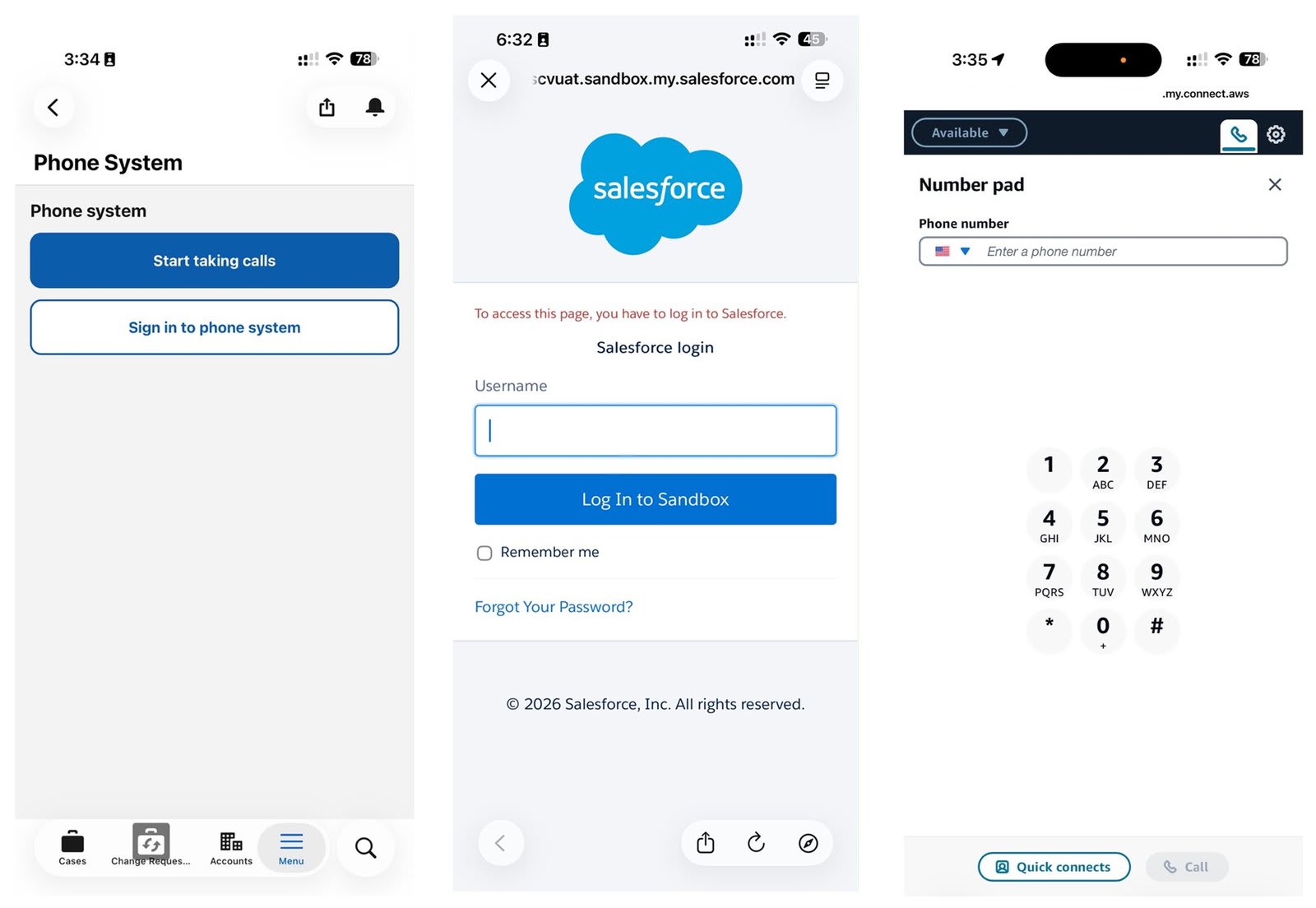
In practice, that gives field agents everything they need:
- Real calls from a mobile device. Agents can place and receive customer calls from their phone.
- Works in the background. The softphone keeps running while the agent uses other apps, and calls continue with the screen off.
- Same experience on Android and iPhone. No desktop-mode workaround and no browser tricks.
- Nothing extra to buy. It uses capabilities already included in the existing Salesforce Voice and Amazon Connect set-up.
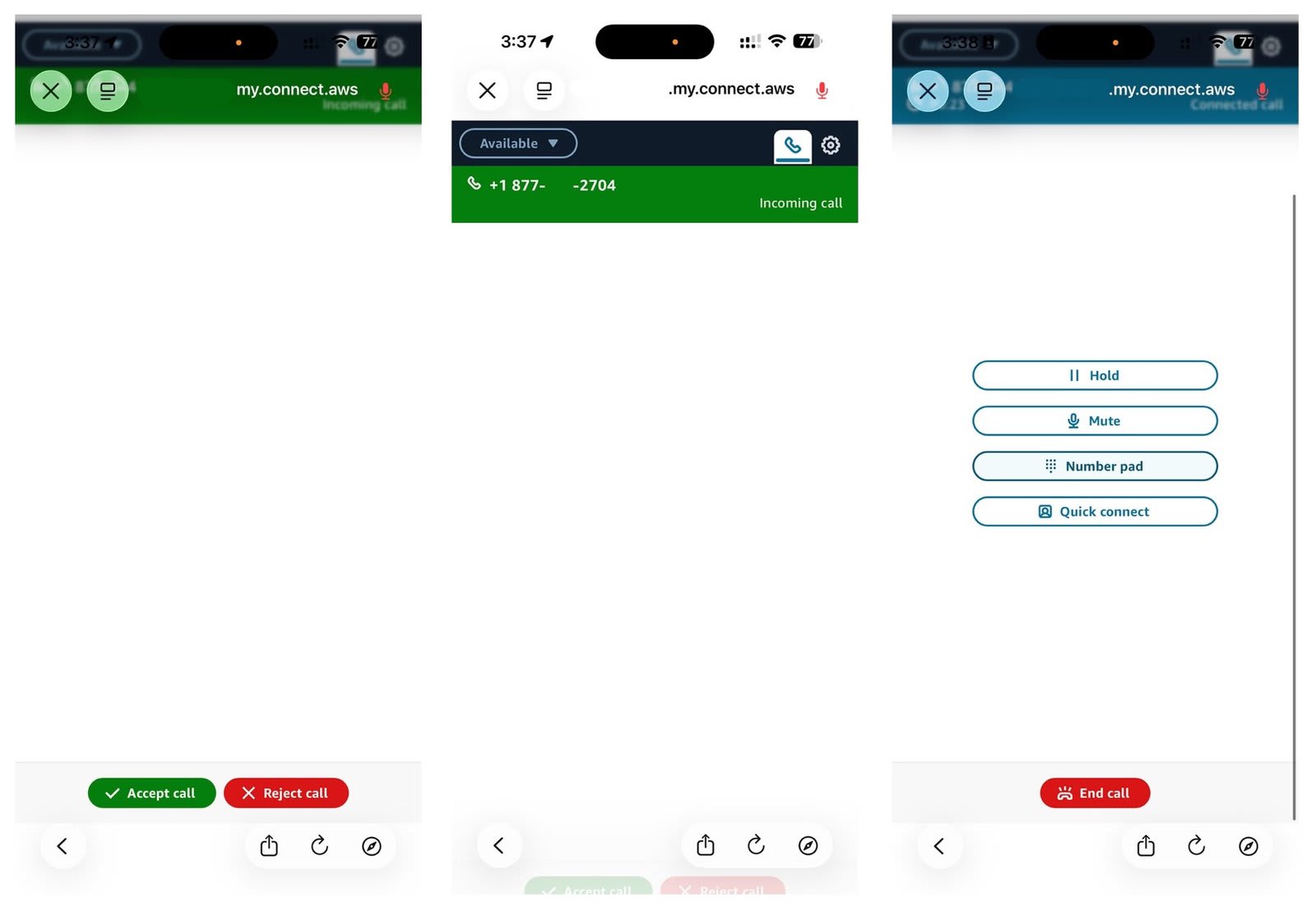
Amazon does not list mobile browsers as a supported surface for its softphone, so we tested this set-up carefully on the devices our agents use. If you try the same approach, test it on your own devices and keep a fallback for critical calls.
Cases still create themselves
A phone call is only half the story. The real value of Salesforce Voice is that the call becomes a record the whole team can see. Because calls still flow through the same Salesforce and Amazon Connect set-up, the case is created automatically, the caller is matched to their contact record and the call is linked to the case, just as when an agent works from the office.
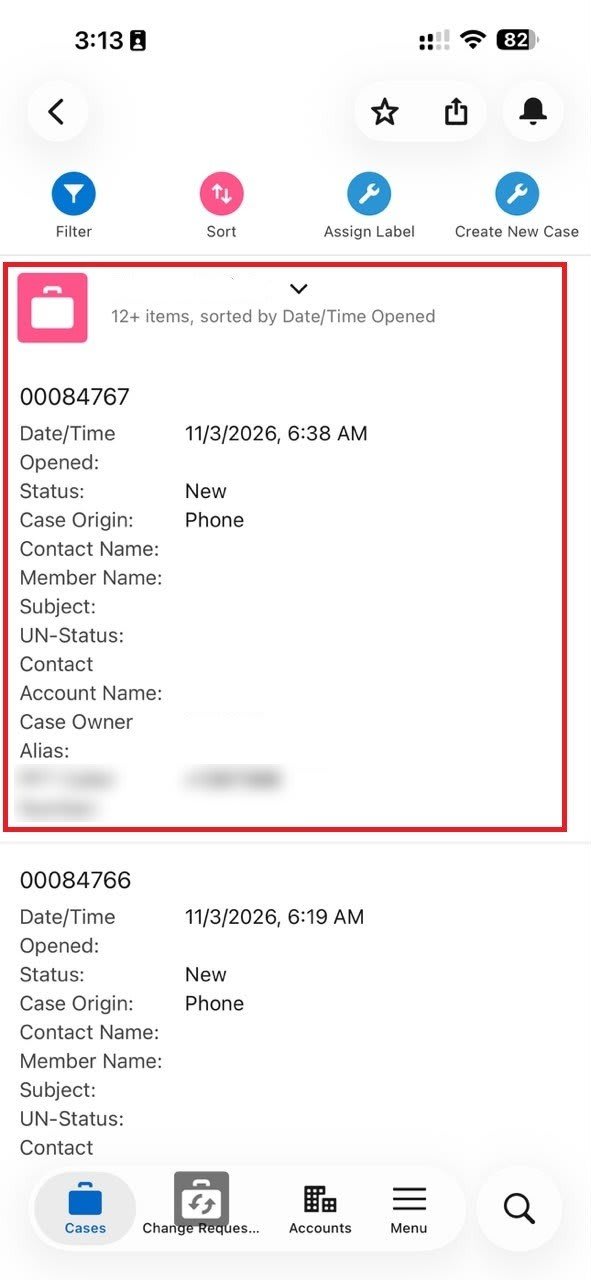
After the call, the agent opens the Salesforce mobile app to review the case, add notes, update the status or hand it to a colleague. Calling and case management happen on the same device, while the details are fresh.
What this means for the business
- Lower cost. No extra paid third-party telephony app and no extra licences for field staff.
- Faster response. Customers reach an agent wherever the agent is, which shortens waits and reduces missed calls.
- One source of truth. Every call and case lives in Salesforce, so nothing is lost or typed in twice.
- Fewer tools to manage. One set-up, one set of permissions and one place to train people.
- Fair for every device. Android and iPhone users get the same capability.
The takeaway
A limitation that looked like it needed another subscription was solvable with the tools we already had. Field agents can now take customer calls from their phones and manage the resulting cases in the Salesforce mobile app, without leaving the platform.
Frequently asked questions
Does the Salesforce Voice softphone work in a mobile browser?
Salesforce limits the Service Console and Omni-Channel softphone in mobile browsers. On Android, desktop mode can work as a workaround. On iPhone, it does not.
Why does the softphone fail to sign in on iPhone?
Browsers on iPhone use Apple's browser engine, whose privacy rules interrupt the single sign-on step the softphone needs, so the sign-in never completes.
Do field agents need a paid third-party calling app?
Not in our set-up. Agents sign in to the Amazon Connect softphone through Salesforce, using capabilities already included with Salesforce Voice and Amazon Connect.
Are cases still created automatically for mobile calls?
Yes. Calls flow through the same Salesforce and Amazon Connect set-up, so the case is created, matched to the contact and linked to the call.
Is your team facing the same challenge? We would be glad to share what we learned and help you bring Salesforce Voice to your mobile workforce. Get in touch to see it in action.