- FormAssembly
- Salesforce integration
- No-code forms
- Honest pros and cons
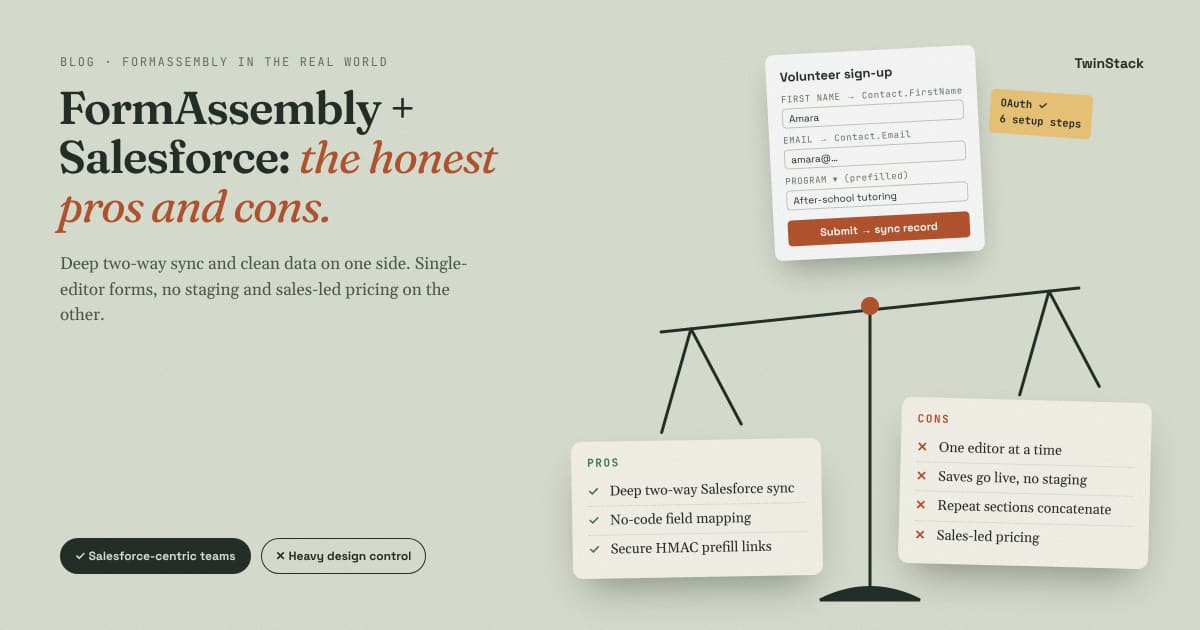
FormAssembly in the Real World: Lessons from Live Salesforce Projects
A practical look at the form and data collection platform that connects web forms to Salesforce, written from hands-on Salesforce project work and checked against FormAssembly's own documentation.
01 · Overview
What is FormAssembly?
FormAssembly is an online form builder that treats the form as the front door to your data. You design the form, and the platform sends every answer to the systems you already use, with Salesforce as its strongest connection.
A basic form tool emails you a response and stops there. FormAssembly can create and update records in Salesforce, prefill a form with data that already exists, run approvals, generate documents and collect e-signatures. The company now describes the product as a data workflow platform, not only a form builder.
The product has three main parts. The form builder is where you add pages, fields, logic and branding without writing code. Connectors send data to Salesforce and other systems, and pull data back for prefill. Workflows link forms with approvals, notifications, documents and signatures into one process.
02 · How it works
From form to Salesforce record
A typical Salesforce setup follows six steps. You can start from a new form, or import a form from Salesforce and build the form and connector together.
- Build the form. Add pages, fields, validation and conditional logic.
- Authenticate. Connect FormAssembly to your Salesforce org through OAuth.
- Map fields. Link each form field to a Salesforce field on a standard or custom object.
- Publish. Share the public form link, customize that link, or embed the form on a website.
- Collect. A person fills in and submits the form.
- Sync. The connector creates or updates the records.
One detail matters here. There is no separate publish step that protects a live form. Once a form is saved, it is live and anyone with the link can view it.
The public URL can be customized
Every form gets a standard public address that contains the form ID, hosted on FormAssembly's tfaforms.com domain. That link stays the same after you edit the form, so it always opens the most recent version. On the Publishing page, under "Share the Public Address", you can also configure a custom URL that replaces the form ID with a readable name.
The custom URL masks the standard one and does not replace it, so both links keep working and links you already shared do not break. Custom URLs work with prefill links, and they also show with a purchased custom domain. The feature needs an Essentials plan or higher. If you embed the form instead, check the publishing method first: the Salesforce prefill connector does not work with every embed option.
The Salesforce connector
The connector is where most of the value sits. Each step in it can create a record, update a record or look up an existing record, and steps can depend on each other, for example an Account first and then its Contacts. Mapping is done in a visual setup with no custom code. The newer Salesforce Workflow Connector adds a visual canvas, more advanced logic and variable storage, and it can work across multiple forms.
The prefill connector
Prefill works in the other direction. When needed, the form extracts information from Salesforce at the moment it opens and shows it in the form fields, so the person can view what is already on record. A returning contact sees their details filled in and only confirms or corrects them, and the same method lets you display record details, such as an application status or account information, for the person to review.
The lookup is driven by a value in the link, as described in the next section. One parameter is enough to reach related records: the connector can find a Contact first and then pull data from that Contact's Account. It can also fill a repeatable section, for example by looking up an Account and loading all of its related Contacts. Files are the exception. An upload field cannot be prefilled, although the file name of an attachment created through a FormAssembly connector can be shown in a text field. According to FormAssembly, prefill in the Workflow Connector needs a Team plan or higher with the Salesforce connector enabled.
Passing information through the URL
A form link can carry data. This is how a form knows who is opening it, and there are three ways to do it.
- Direct field prefill. Add a field alias and a value to the link, such as
[email protected], and join several fields with an ampersand. The aliases are listed on the form's Publish page and in the builder's Outline. No connector is needed. - Unsafe parameter. In the Salesforce prefill connector, a lookup is matched against a query parameter you name yourself, for example
?email=or a record ID. The connector finds the record and fills the form. FormAssembly explains that the name only means the parameter has no signature attached. In practice, anyone who edits the value in the link can load a different record. - Secure parameter. The link carries a signature, a base64-encoded HMAC-SHA256 value, so the connector rejects a link that was changed. You can generate a static signature inside the prefill connector, or sign links dynamically from your own system. FormAssembly does not provide support for dynamically signed parameters.
FormAssembly recommends testing with the unsafe parameter first and moving to the secure parameter afterwards. As a rule from practice, use unsafe parameters only for low-risk data and secure parameters whenever the form shows personal or sensitive records. Avoid placing personal information in the URL itself, and URL-encode values that contain special characters such as #. A plain form link without a query parameter cannot trigger the prefill connector, and the connector does not work with forms published by the copy and paste method.
What can go along with the data
The connector can also send other items to Salesforce, such as uploaded files, a PDF of the response, e-signature reports and Stripe IDs.
Good to know. The Salesforce features require the Salesforce add-on on your FormAssembly plan. Salesforce also allows only 5 active OAuth tokens for a given user and service combination, which matters if several people connect with the same Salesforce user.
03 · Features
What you can build with it
FormAssembly is not limited to a simple contact form. Its features combine to handle complete, multi-step processes where the answers must end up in the right place in Salesforce.
It helps to think of each form as a small application. It has pages, rules that decide what a person sees, places to upload documents, and a destination for the data. The table lists the building blocks, and the paragraphs after it show how they come together in real work.
| Capability | What it does in practice |
|---|---|
| Multi-page forms | Break a long application into short steps. |
| Conditional logic | Show or hide fields and pages depending on earlier answers. |
| Repeatable fields and sections | Let a person add one block per item, such as each reference on a job application or each class on a registration. |
| File uploads | Collect IDs and certificates and send them to Salesforce Files. |
| Save and resume | Let people leave a long form and return later, which reduces abandonment. |
| Formulas and calculations | Compute values in the form, and reshape values in the connector with formulas such as @CONCATENATE. |
| URL parameters | Pass values into a form through its link: direct field prefill, unsafe parameters, or signed secure parameters for Salesforce lookups. |
| Custom CSS and JavaScript | Add your own HTML, CSS or JavaScript in the Custom Code field (Properties, then Custom Code) or in a Text element. Code in Custom Branding applies to all your forms. |
| Collaboration | Share a form with other users or user groups so they can edit it, change processing options or view responses. |
| Revision history | Earlier versions of a form are kept, so you can recover a previous state. |
| Approvals and notifications | Route a response to reviewers and send emails after submission. |
| Documents and e-signature | Generate documents from responses and collect signatures. |
| Other integrations | HTTPS and webhook connectors, Google Drive and Sheets, SharePoint, Excel, Mailchimp and more. |
| Security options | Higher plans add compliance options, including a FedRAMP-authorized Gov Cloud. Confirm the details for your plan with sales. |
Long applications and registrations
Multi-page forms, conditional logic and repeatable sections work well together for student registrations, program and visa applications and membership forms. A person sees only the pages that apply to them, adds one block for each school or job, uploads documents in the same place, and can save and return later. Staff then receive one complete, consistent record instead of a pile of emails and attachments.
Working with data already in Salesforce
Because the connector works in both directions, a form can start from existing records instead of a blank page. Typical examples are registering attendees and updating Campaign Members, creating and updating Cases, or sending a prefilled survey based on Case details.
Approvals, documents and payments
A submission does not have to stop at the form. It can be routed to a reviewer, trigger notification emails, produce a document or collect a signature. Related items, such as a Stripe ID or a PDF copy of the response, can travel to Salesforce with the record.
Going beyond the builder
When a requirement is outside the standard options, there are two routes. Developers can add custom CSS and JavaScript to change the look and behavior of a form. For other systems, the HTTPS and webhook connectors let the data travel beyond Salesforce.
04 · Benefits
Where FormAssembly shines
Deep Salesforce integration. The connector can create, update and look up records on any standard or custom object. Reviewers regularly describe the mapping as easy and the integration as the main reason they chose the product.
No code needed for most work. Admins and consultants can build and change forms without a developer, which shortens delivery time and lowers the cost of maintenance.
Cleaner data. Validation and required fields catch errors before records reach Salesforce, so the CRM receives structured, consistent data.
The benefits in plain terms
- Less manual entry. Staff stop retyping answers, and files land on the right record.
- Better experience for applicants. Short guided pages, prefill and save and resume make long forms easier to finish.
- Flexible forms. Conditional logic and repeatable sections handle complex applications.
- Two-way sync. Data goes into Salesforce and comes back out for prefill, so people can view and update their own records from a form.
- Room to customize with code. Custom CSS handles styling, and JavaScript covers what CSS cannot do, such as changing the order of elements, complex arithmetic, pop-ups and extra checks.
- A safety net. Revision history keeps earlier versions of a form.
- Strong support and reputation. Reviewers on G2 often praise the support team, and the product holds about 4.5 out of 5 on Capterra and G2.
05 · Drawbacks
Where it falls short
No tool fits every case. Each limit below is marked with where it comes from: FormAssembly's own documentation, user reviews, or project experience.
Only one person can edit a form at a time
FormAssembly lets you share a form with collaborators, but its documentation states that only one user can edit a form at a time. The same rule applies to workflows. Two developers cannot build the same form together, so a team has to take turns or divide the work by form. On a large application with a tight deadline, this slows delivery. Source: FormAssembly documentation.
Repeating sections join values together
This is the most common surprise in Salesforce projects. When repeated fields are pulled into the connector, FormAssembly concatenates the values of every repeat. Because of that, formulas cannot be used in connector repeating sections, and field aliases from repeatable fields cannot be used inside formulas at all. Source: FormAssembly documentation.
Here is how the problem looks. A company has two contacts, and each contact record should be named "Contact name - Company name". If you build that name with a concatenate formula on repeated fields, every record receives "Contact A - Company; Contact B - Company" instead of its own name.
The fix has two parts:
- Create one record per repeat. In the classic connector, the step that contains the repeating fields offers two options: merge the data into one Salesforce record, or create one record for each instance of the repeated section. Choose the second. If the options do not appear, remap the fields. In the Workflow Connector, open Repeated Content and set "Add a record for every submitted" to the repeatable section. Choosing Workflow there runs the action once and concatenates the values.
- Build the combined name in Salesforce. Send the raw values, such as first name, last name and company, and create the display name with a formula field or a Flow. This is a suggestion from practice, since connector formulas are not available for repeated fields.
Two more rules from the documentation: repeating fields should sit only on the parent step when records are related, and each dependent step runs once for every time its parent step runs. A reviewer also notes that the "skip this step if" rule cannot evaluate each record inside a repeating section.
Custom JavaScript is powerful but fragile
The builder covers most needs, but some requirements push you into custom code: changing layout or element order, complex calculations, turning off the warning shown when a respondent closes a multi-page form, or behavior the built-in logic cannot express. The documented limits are clear. Source: FormAssembly documentation.
- Support does not write, edit or debug custom code.
- JavaScript must be tested on the live form, not in preview mode.
- JavaScript calculations cannot be used in connectors.
- All form validation runs on JavaScript, so a respondent with JavaScript disabled can submit without completing required fields.
- Custom CSS on an embedded form can conflict with the code of the host page.
- Heavy use of custom code and repeatable sections can affect performance on the respondent's device.
In project work, custom JavaScript sometimes does not run as expected, and caching causes many of the problems. An old version of a form or script can keep loading after a change, so a fix can look like it failed when it did not. FormAssembly documents one cache problem directly: when a form is embedded in a WordPress page with caching enabled, submissions can fail with the error "This response has already been processed". Source: project experience, plus FormAssembly's WordPress documentation.
Habits that help: test on the direct FormAssembly URL first and on the embedded page second, hard refresh or use a private window after each change, exclude the form page from website caching, and keep scripts small and documented.
Saved changes go live immediately
There is no staging area between your edits and the public form. A saved form is live. Reviewers ask for a way to test in one environment and push to production, and that does not exist. Revision history lets you recover an earlier version, and a common practice is to test risky changes on a copy of the form first. Source: FormAssembly documentation and user reviews.
Limited design control
Reviewers find the themes and interface restrictive, and say confirmation emails and the PDF copy of a response are hard to customize for branding. The newer Theme Builder can style the whole form, but styling one specific element still needs custom CSS. Source: user reviews and FormAssembly documentation.
Pricing is not public
FormAssembly Atlas has four plans: Explorer, Team, Enterprise and Gov Cloud. The Explorer plan listed a starting price of $59 a month until April 2026, when the price was removed from the pricing page. Pricing is now sales-led and depends on volume, users and integrations. A free trial is offered. Source: pricing trackers and Capterra.
More limits to plan for
- Salesforce add-on and plan gates. Salesforce features need the add-on, and prefill in the Workflow Connector needs a Team plan or higher.
- Learning curve. Basic forms are easy, but connectors, formulas and workflows take time to learn.
- Basic e-signature. One reviewer describes the e-signature feature as basic and a little clunky.
- Embedding limits. A reviewer reports that embedding forms in a website limits a few features.
- Unsafe URL parameters can be changed. A prefill link without a signature can be edited to load another record, so sensitive forms need secure parameters, and dynamic signing is something you build and support yourself.
- OAuth token limit. The 5-token limit per Salesforce user can break a connector when several people authenticate with one user.
Tip. List your must-have features before you buy, then test the hardest one, such as repeating sections that create related records, in a trial before you commit.
06 · Verdict
Is it the right choice?
If Salesforce is your system of record and you need forms that write clean data into it, FormAssembly is one of the strongest options available.
| Choose FormAssembly when | Look elsewhere when |
|---|---|
| Salesforce is your CRM and you need create, update and prefill. | You only need a simple contact form with no CRM link. |
| You need multi-page forms, conditional logic and file uploads. | You need full control over the design of the form, emails and PDFs. |
| You want admins to maintain forms without developers. | You need a public price list or a free plan. |
| One person can own each form from start to finish. | Several developers must build the same form at the same time. |
| Repeated data maps to one record per repeat. | Your design depends on formulas across repeated fields. |
| Data quality and compliance matter. | You need a staging environment for every form change. |
For most Salesforce teams, the benefits outweigh the drawbacks. Plan around the single-editor rule, design repeating sections with the connector in mind, keep custom JavaScript to a minimum, and confirm your plan and pricing early.
Plan names, pricing and features change often, so check the official FormAssembly pages and your own account before you decide. Points marked as project experience are not confirmed by FormAssembly documentation.
Sources
FormAssembly documentation: FormAssembly and Salesforce; Get Started with Salesforce (Salesforce add-on); Salesforce configuration process (OAuth token limit); Salesforce Workflow Connector (repeated content); Repeatable Fields and Sections with Salesforce; Repeatable Fields and Sections; Formula Functions Quick Reference; Formulas for Common Uses; Prefill Through the URL; Salesforce Prefill Connector (unsafe query parameter); Prefill Related Objects and Records; Prefill Lookups Using Secure Parameters; Using a Custom URL on Your Forms; Compare Publishing Options; Form Collaboration (one editor at a time); Using JavaScript on a Form and Within Calculations; Custom CSS; Troubleshooting Your Custom CSS (embedded forms); Style an Individual Element; WordPress (page caching error); Preview, save and publish (saved forms are live); Release 5.168 (collaboration with groups, revision history).
FormAssembly website: What is new with the Salesforce Workflow Connector; What is Prefill in the Salesforce Workflow Connector; How to Connect Forms to Salesforce; Form-Based Workflows to Enhance Collaboration; Integrations and document generation; Salesforce integration page; Solutions for Salesforce admins; Salesforce and FormAssembly features.
Reviews: Capterra; Capterra NZ (repeating section review); G2; SaaSworthy; AWS Marketplace reviews (no test to production, embedding, e-signature, email and PDF customization); Many pies (FormAssembly Salesforce connector review).
Pricing: Capterra; PricingSaaS (pricing plans, Explorer price hidden April 2026); Toolradar; xpay (sales-led pricing analysis).
Choosing a form tool for Salesforce?
Talk to us about the right setup for your org.