Ownership
One platform, one set of admins. Builder access is controlled with a permission set, so you decide who can create forms and see submissions.
Every Salesforce team has a form story. Someone builds a contact form with a popular form tool, wires it to Salesforce through a connector, and for a few months everything is fine. Then a field is renamed, the connector quietly stops, and a week of leads sits in a vendor’s dashboard where nobody is looking.
The problem is rarely the form. It is the distance between the form and your CRM.
Most web form tools store submissions in their own database and then push a copy to Salesforce through an integration. That is three moving parts for what should be one job: the form, the vendor’s storage, and the sync. Each part needs an owner, a login, a line in the budget and a place in your security review. When something breaks, the first hour is spent working out which of the three is at fault.
The form
The vendor’s storage
The sync
There is also a privacy angle. Your visitors’ answers now live in a second system, outside your org, under a different retention policy and a different set of admins.
Smart Forms & Surveys is built on the Salesforce platform. You design the form inside Salesforce, choose what each response should create (a Lead, a Contact, a Case or a custom object) and publish it through a Salesforce Site. When a visitor submits, the app creates that record directly in your org. There is no external database to keep in sync and no second login to manage.
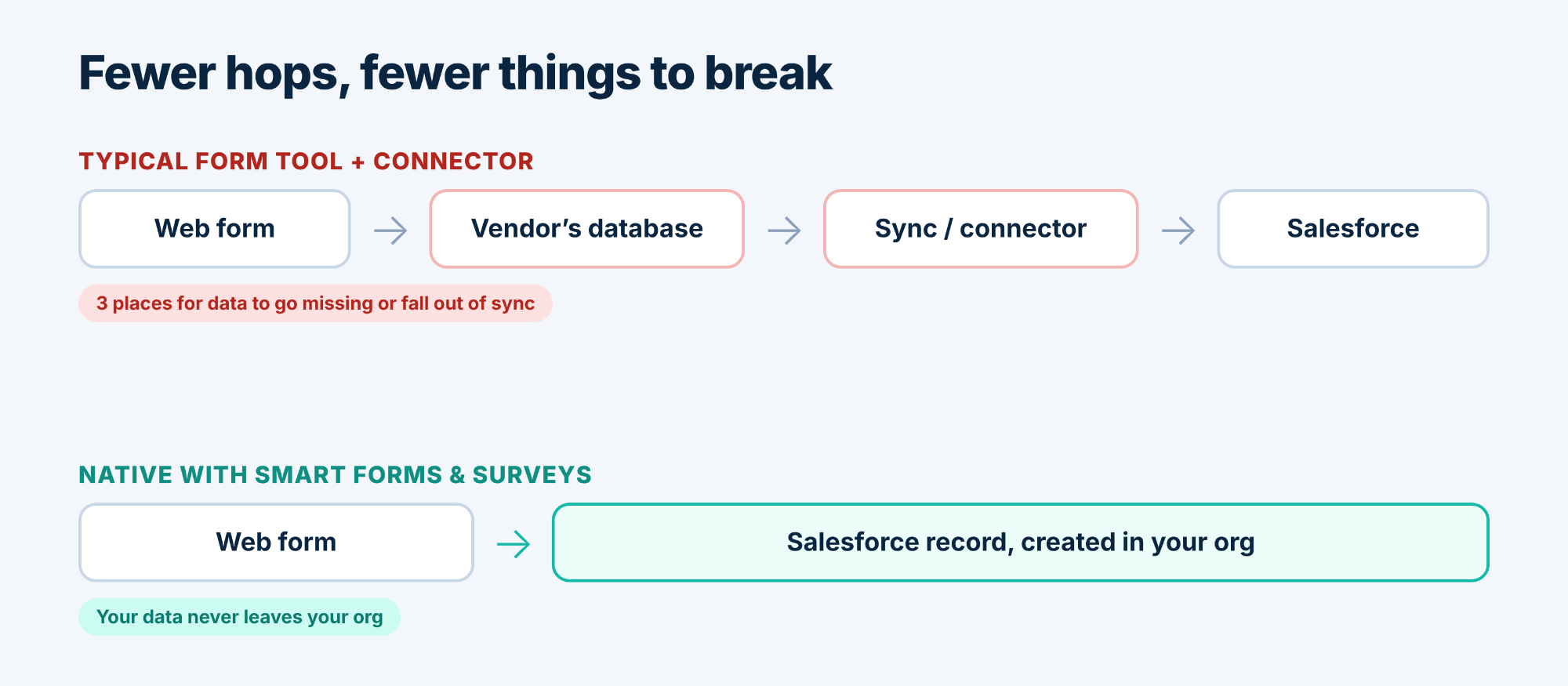
Every submission is also logged in a Submissions view. You can open one to see exactly what the visitor sent, which record it created, and, if Salesforce rejected it, the reason in plain words, such as a required field that was missing. Nobody has to guess why a lead didn’t arrive.
One platform, one set of admins. Builder access is controlled with a permission set, so you decide who can create forms and see submissions.
Responses are ordinary Salesforce records, so the reports and automation you already run on that object apply as they would for any new record.
Visitor data stays in your org instead of being copied to a vendor.
A failed submission shows its own error message, so fixing the form is a two-minute job rather than a support ticket.
Native forms suit teams who already live in Salesforce and want public forms that create records: lead capture, event sign-ups, service requests, applications, surveys stored in a custom object. They are not built for letting a visitor edit an existing record. Public forms only create records, and a submission that carries a record Id is rejected. For anything that touches existing data, that is a feature.
If your forms mostly feed Salesforce, removing the middle layer is the simplest upgrade you can make.
See Smart Forms & Surveys in action.