Everything you need to know before you install: what it does, who it is for, how it works, and what it costs.
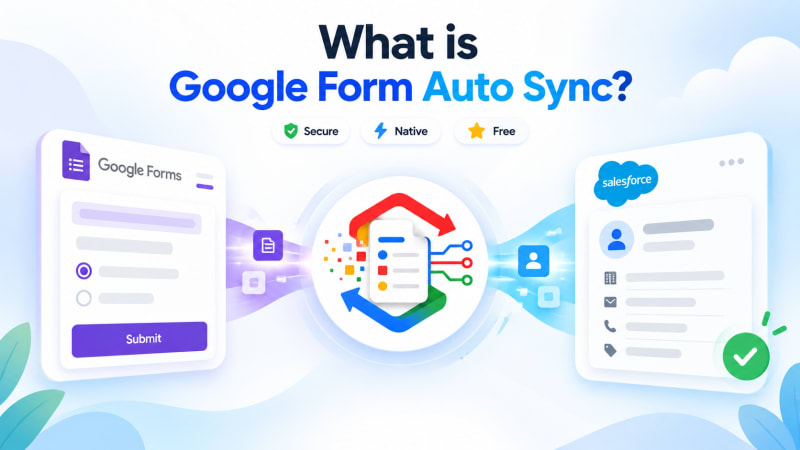
In one sentence: Google Form Auto Sync is a free, 100% native Salesforce managed package that captures every Google Form submission as a Salesforce record the moment it is submitted, with no Zapier, no middleware, and no third-party server in between.
This page answers the questions people usually ask before installing. If you already know what it is and just want to set it up, skip to the setup guide.
What is it?
It is a managed package you install from the Salesforce AppExchange. Once installed, you connect a Google Form to it, and from then on every response to that form arrives in Salesforce automatically, within seconds of somebody hitting submit.
It is built entirely in Apex and Lightning Web Components, which means it runs inside your Salesforce org rather than on somebody else's server. It is free, with no license fee, no per-response charge and no paid tier above it.
What you get in the package:
- A dedicated Form_Response__c object where every submission is stored as a searchable, reportable record
- A guided five-step setup wizard that generates your endpoint, credentials and connector script
- A dashboard showing connected forms, total responses, and last sync activity
- A response viewer that displays each submission as clean question-and-answer pairs rather than raw JSON
- Permission sets separating who can configure new forms from who can only view responses
Why does it exist?
Because of a gap that almost every Salesforce org has and almost nobody has solved cleanly.
Google Forms is the fastest way to collect information from people. A program manager can build one in ten minutes without asking permission from anyone. That is why forms multiply inside organizations, even ones that own a full CRM.
But once someone submits, the response lands in a Google Sheet and stops. Salesforce, where the work actually happens, knows nothing about it. So somebody exports a CSV every Monday, or the team pays for an automation platform, or a developer builds something that nobody can maintain two years later.
All three cost something: time, money, or risk. Google Form Auto Sync exists to remove that gap without adding a subscription or a vendor.
How does it work?
Three steps, and only the middle one needs explaining.
- Someone fills in your Google Form and taps Submit.
- A short Apps Script inside that form fires automatically. It authenticates to your Salesforce org using the OAuth 2.0 Client Credentials Flow against an External Client App you created, and posts the response to a REST endpoint the package provides.
- Salesforce receives the payload, enforces field-level security through an insert-as-user operation, and creates a Form Response record. Typically within a few seconds.
The script lives in your own Google Form, in your own Google account. The endpoint lives in your own Salesforce org. Nothing belonging to TwinStack sits between the two, which is what makes the security answer simple: no third party processes your form data because there is no third party in the path.
Where does the data go?
Onto a dedicated Form_Response__c object. Not directly into Lead, Contact, or Case.
People sometimes expect direct field mapping and are surprised by this, so it is worth explaining the reasoning.
An integration that writes straight into your Lead table can quietly corrupt your lead process the day somebody reorders a form question and the mapping drifts. Nothing errors, because a phone number is a valid string in an email field. Worse, if a write fails on a validation rule, the submission is simply gone and the respondent is not coming back to fill it in again.
Capturing first means the raw submission is always saved, always auditable, and always available to reprocess. You then route it with a record-triggered Flow into whatever object you actually want: a Lead, a Case, a Campaign Member, a Program Engagement, a custom object. That logic lives in Flow Builder where your admin can read and change it, not inside a vendor's mapping screen.
Who is it for?
Any team that already collects information through Google Forms and wants that data usable inside Salesforce.
| Team | What they capture |
|---|---|
| Sales and marketing | Inbound enquiries and lead capture from web, email signatures and events |
| Nonprofit program teams | Volunteer signups, program applications, client intake, outcome surveys |
| Events | Registrations, feeding straight into Campaign Members |
| HR and recruiting | Job applications with CV uploads |
| Support and success | Intake and feedback forms becoming trackable Cases |
| Operations and IT | Internal requests: tickets, purchase requests, approvals |
It suits admins rather than developers. If you can create a Connected App in Setup, you can complete the setup wizard.
Which Salesforce products does it work with?
Because Form Response records are ordinary Salesforce records, they sit alongside whatever you already run. It works with Sales Cloud, Service Cloud and Nonprofit Cloud, and with NPSP.
The nonprofit case is worth calling out. NPSP and Nonprofit Cloud have opinionated data models, with household accounts, affiliations, Program Engagements and Party Relationships. An integration that guessed where to write would guess wrong. Capturing to a neutral object and routing with your own Flow means you decide, using the objects your org actually uses.
What does it cost?
Nothing. This is worth being specific about, because most things described as free in this category are not.
- No license fee, now or on a tier above
- No per-response charge. A thousand submissions costs exactly what ten does
- No cap on submissions or on the number of connected forms
- No feature gating. There is one package and it contains everything
The reason we can say this without hedging is structural rather than generous. There is no TwinStack server in the data path, so there is no meter that could count your submissions even if we wanted one.
The honest caveat: support is best-effort. We answer support email and fix bugs, but there is no SLA attached to a free product.
When should you not use it?
Three situations where something else is the better answer, and we would rather say so than have you install and be disappointed.
Your workflow spans more than two systems
If you need Google Form to Salesforce to Slack to a spreadsheet to an email, a general automation platform like Zapier or Make is doing real work that a single-purpose app does not do. Buy one.
You need prefill, payments or e-signature
Products like FormAssembly, Formstack, Jotform and Titan can prefill a form from Salesforce data, take payments, and collect signatures. Google Forms cannot do any of that, and neither can we.
You want a human review step before data enters the CRM
If your process is genuinely "responses accumulate, someone cleans them on Friday, then approved rows are pushed," a Google Sheets connector is a reasonable fit and the scheduled sync is a feature rather than a bug.
Is it secure?
The short version, and the specifics your compliance team will ask for:
- Authentication uses the OAuth 2.0 Client Credentials Flow against a Salesforce External Client App. No password is stored in the script
- Requests run under a dedicated Run-As user that you nominate and scope
- Every record insert runs as the user, so field-level security is enforced rather than bypassed
- The package makes no outbound callouts, so no data leaves your org
- No TwinStack infrastructure touches the payload, so there is no vendor to add to a processing agreement
- The package has passed Salesforce Security Review, which is required to list on the AppExchange
How long does setup take?
About fifteen minutes for your first form, most of which is reading the wizard carefully. Subsequent forms take around five.
Budget a little more if you also want to build the routing Flow that turns responses into Leads or Cases. Most admins do that in another ten to twenty minutes per form.
Where do I get it?
On the Salesforce AppExchange. Install into a sandbox first if you would rather not touch production; the setup wizard is identical either way.
Who built it, and why is it free?
TwinStack Solutions, a Salesforce partner. We build AppExchange products and do Salesforce implementation and migration work.
The honest answer on pricing: Google Form Auto Sync came out of client projects where the same gap kept appearing. We keep it free because a genuinely useful free app is how a consultancy earns the right to be considered for larger work. That is the whole model. Nobody is harvesting your data and there is no upsell hidden in the product.
We would rather state that outright than let you wonder what the catch is.
Stop copying and pasting form responses by hand.
Install Google Form Auto Sync free and have your first form connected in minutes. No license fee, no per-response charge, no third-party server.
Get It Now, Free