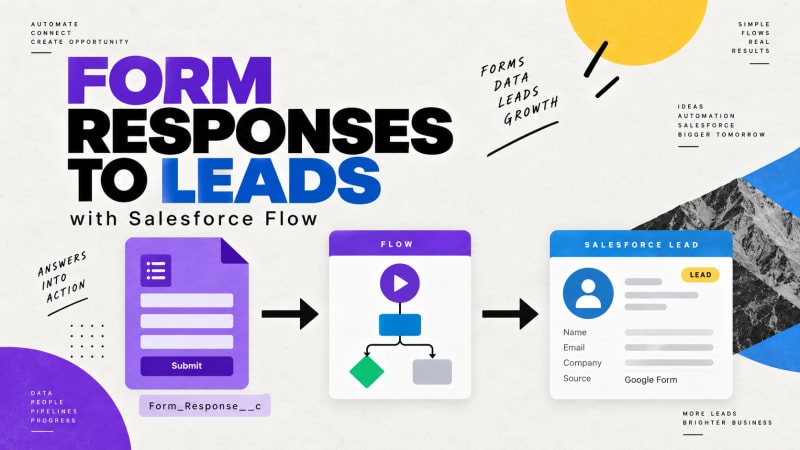
Google Form Auto Sync captures every submission onto a dedicated Form_Response__c object. It deliberately does not write into Lead, Contact, or Case directly.
This post explains why, and then walks through building the Flow that does the routing, which is where most of the value is.
Why capture first and route second?
The instinct is to want direct field mapping: form question three goes to Lead.Email, done. Most integration tools work that way. It is worse, for three reasons.
Mapping breaks silently. Somebody reorders the form questions or renames one. The mapping still runs. It just puts the wrong values in the right fields, and nothing errors because a name is a valid string in a company field.
Failure destroys data. If a direct-mapping integration hits a validation rule, a required field, or a duplicate rule, the write fails and the submission is gone. The respondent is not coming back to fill it in again.
Business logic ends up in a vendor's UI. Six months later, somebody asks why some submissions become Leads and some do not. The answer lives in a mapping screen nobody has admin access to.
Capturing first inverts all three. The submission is always saved, whatever happens downstream. The raw data is always available to reprocess. And the routing logic lives in Flow Builder, where your admin can read it, version it, and debug it with the standard Salesforce tooling.
What should you check before you build the Flow?
Connect a form, submit two or three test responses, and open the resulting Form_Response__c records. You need to see the actual shape of the captured data before you write logic against it. The built-in viewer displays each submission as question-and-answer pairs; the underlying stored response is what your Flow will parse.
Note the form name and form ID fields as well. If you connect more than one form, your Flow needs to know which form it is looking at.
How do you build the Flow?
1. Create a record-triggered Flow
- Object:
Form_Response__c - Trigger: A record is created
- Optimize for: Actions and Related Records (this runs after save, which is what you want for creating other records)
2. Filter to the right form
If you have multiple forms connected, this is essential. Set an entry condition on the form name or form ID field so this Flow only fires for your lead capture form.
Build one Flow per form rather than one Flow with a giant decision tree. It is easier to debug and easier to hand over.
3. Extract the values you need
The submission is captured as structured response data. In Flow, use a formula resource or an Apex-defined variable to pull out the specific answers you care about.
The pragmatic approach for most admins: create formula resources for each field you need, keyed on the question text. Keep the question text stable in your Google Form once the Flow is live, and note that dependency somewhere your future self will find it.
4. Check for an existing record
Before creating a Lead, do a Get Records on Lead filtered by the submitted email address. Then use a Decision element:
- No match found → create a new Lead
- Match found → update the existing Lead, or create a Task on it, depending on your process
Skipping this step is the most common reason a form integration produces a duplicate problem within a month.
5. Create the record
A Create Records element mapping your extracted values to Lead fields. Set LeadSource to something identifiable, like the form name, so you can report on which form produced which pipeline.
6. Link back to the source
Update the Form_Response__c record with the ID of the Lead you just created, or store the Lead ID in a field on it. This gives you a traceable path from any Lead back to the exact submission that produced it, which is invaluable when somebody asks where a record came from.
7. Handle the failure path
Add a Fault path on your Create Records element. Send it to an update that marks the Form_Response__c record as failed with the error message.
Now you have something most integrations do not: a queryable list of every submission that failed to route, with the reason, and the original data still intact so you can fix and reprocess.
How do you route to Cases, Campaign Members or custom objects?
The same pattern works for anything.
Case, for support intake. Match on Contact email, create a Case with the submission body in the description, set the Origin to your form name.
Campaign Member, for event registration. Get or create the Contact, then create a Campaign Member against the event Campaign with status Registered.
Program Engagement, for nonprofit intake. Match the Contact, create the engagement against the right Program. NPSP and Nonprofit Cloud data models differ here, so check which objects your org actually uses.
A custom object, for internal requests. Create your request record and assign it to a queue.
What practical advice helps when building this?
One Flow per form. Resist the combined Flow. It always grows a branch nobody understands.
Do not trust email as a unique key without thinking. Shared family addresses, info@ addresses, and people who use a second address are all real. Decide deliberately what "same person" means for your process.
Set validation on the form, not just in Salesforce. Google Forms response validation on email and phone fields prevents most of the garbage that would otherwise fail your Flow.
Build in a sandbox. Obvious, frequently skipped.
Report on the failure path monthly. A list view of failed Form_Response__c records, checked once a month, catches problems that would otherwise take a quarter to surface.
What do you get at the end?
Once this is running you have a chain that is fully visible end to end: a submission you can open and read, a Flow you can debug, a created record that points back to its source, and a failure list you can act on.
Compare that to a middleware Zap that either worked or did not, with no artifact left behind either way.
Capture every submission, free.
Google Form Auto Sync posts each Google Form response straight into your own Salesforce org. No middleware, no task counter, no tiers.
Get It Now, FreeNeed help building the routing logic for a more complex process? TwinStack Solutions does Salesforce implementation work. Get in touch.