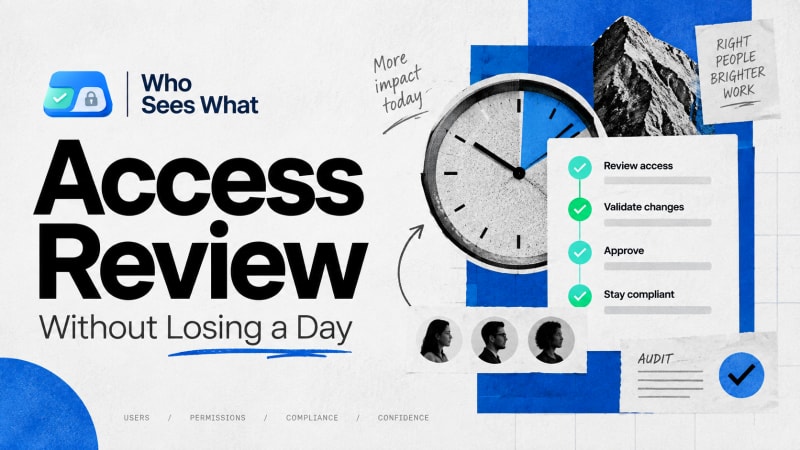
Seven steps, and one of them is the reason reviews normally get sampled instead of completed.
Short answer: Scope the review to a specific trigger, define what correct access looks like before checking anyone, check every user against that definition rather than sampling, and record the specific rule behind every finding. The step that normally takes a day is reconstructing each person's effective access by hand; removing that step is what makes the rest realistic on a schedule.
Why do access reviews get sampled instead of completed?
An access review, done properly, confirms that every user's actual access matches what their role requires. Done partially, it checks a handful of users chosen because they seem likely to be problems, and extrapolates from there.
The reason reviews default to the partial version is cost, not laziness. Reconstructing one user's effective access by hand commonly takes thirty minutes or more, and a review that has to do that for every user in scope becomes a day or more of work before a single finding is logged.
Step 1: define the trigger and the scope
A review without a defined trigger tends not to happen at all. Reviews that actually run tend to be tied to a scheduled cadence, a compliance requirement, a specific incident, or a merger or reorg. Decide which one this is, and let it define who and what is in scope, before anything else.
Step 2: define what correct access looks like, before checking anyone
This step gets skipped more often than it should. For each role in scope, write down, even informally, what access that role should have. Without this reference point, every finding becomes a judgement call made in the moment, which makes the review's output inconsistent depending on who happened to review which user.
Step 3: pull the list of users in scope
Pull the actual list from Salesforce, by profile, permission set assignment, or role, depending on how scope was defined in step 1. Working from a list somebody remembers rather than one pulled from the org is a common source of gaps.
Step 4: resolve full effective access
For each user: their profile's object and field permissions, every permission set and permission set group assigned individually, role hierarchy position, sharing rules, and manual shares. All of it, for every object in scope. This is the step that costs the most time under a manual process, and the one that determines whether the rest of this process is realistic on a schedule.
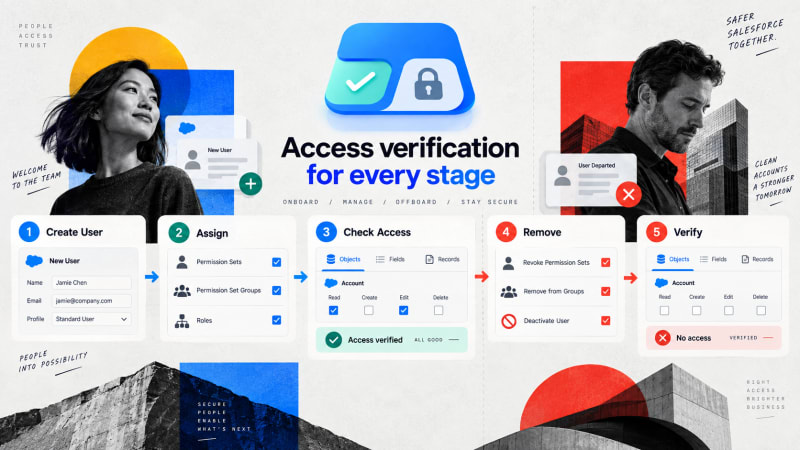
The step that decides whether a review covers everyone or a sample.
Step 5: compare against the definition, and log the outcome
Three outcomes: matches, excess access, or missing access. Log all three, not just the problems, so the review can later prove it was comprehensive rather than a search that stopped at the first few issues found.
Step 6: trace excess access to the specific granting rule before fixing
Do not fix based on the symptom. Trace whether excess access comes from the profile, a specific permission set, or a permission set group, because the fix differs materially depending on which one it is. Tracing the responsible rule is worth doing properly rather than guessing from the symptom.
Step 7: record the review itself
Keep a record of when it ran, what scope, who conducted it, and the outcome for every user, including the ones with no finding. This record is what turns the review into something you can show happened, rather than something you remember happening.
What changes if step 4 is not the bottleneck?
Every other step here is judgement, and none of it should be automated away. Step 4 is mechanical: correctly reading Salesforce's own permission metadata and presenting it clearly. That is the entire mechanism behind Who Sees What, which performs step 4 in seconds rather than the manual thirty-plus minutes per user.
That single change determines whether steps 1 through 3 and 5 through 7 happen for your whole user base or for a sample chosen because it seemed like enough.
Who Sees What is built and maintained by TwinStack Solutions, a Salesforce partner. Questions about setup: [email protected]
Run step 4 in seconds instead of a day.
Resolve full effective access for any user, free and read-only, so the rest of the review can cover everyone in scope.
Get It Now, Free