A practical process for finding drift in a mature org, before it finds you.
Short answer: Over-permissioned users accumulate silently because finding one requires the same investigation as answering any single access question. A practical review checks every user against what their role should require, starting with the users most likely to have drifted: long-tenured staff, anyone who has changed roles internally, and anyone with a permission set assigned for a project that has since ended.
Why is over-permissioning the normal state, not the exception?
Nobody sets out to over-permission a user. It happens through a sequence of individually reasonable decisions.
A permission set gets assigned to cover a one-time need, a migration, a temporary project, a single report someone needed once. The need ends. The permission set assignment does not get revisited, because revisiting it requires someone to notice, and there is no natural moment where that noticing happens.
Someone changes roles internally. Their new role's permission sets get added. Their old role's permission sets are not always removed, because the removal is a separate, easy-to-forget step from the addition, and nothing in Salesforce prompts for it.
A permission set group gets built for a specific team, then reused for a different team with different needs because it was close enough. The parts of it that do not quite fit the second team's needs are excess, granted to everyone in the group.
Three years into this pattern, a mature org commonly has permission sets numbering in the dozens or more, many with overlapping or unclear purposes, for reasons nobody currently on the team was present for.
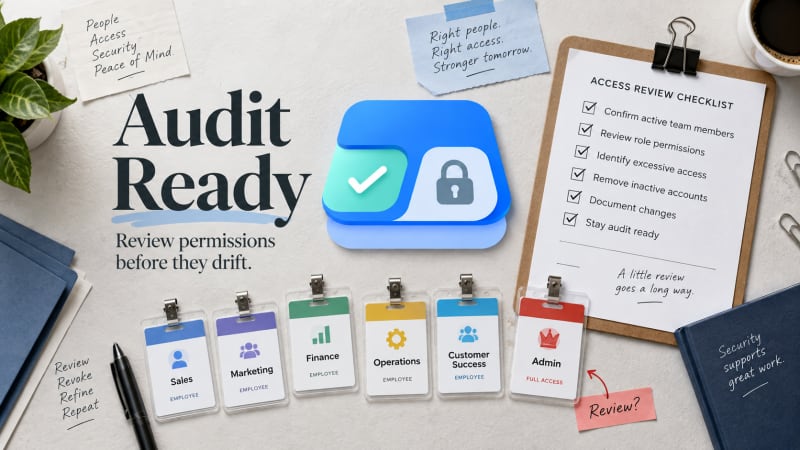
Drift is only visible when effective access and role requirement sit side by side.
Why does it stay undetected?
The reason over-permissioning survives is the same reason any single access question takes thirty minutes to answer: there is no screen that shows a user's actual effective access against what their role should require. Most organisations discover over-permissioning one of two ways: an incident that forces an investigation, or a compliance audit that asks the question directly and gets an uncomfortable answer.
Both are late discovery. The goal is to move the discovery earlier.
What does a practical review process look like?
Step 1: prioritise, do not attempt everyone at once
A full review of every user against every object is the correct end state, but attempting it as a first pass is how reviews stall. Prioritise by where drift is statistically most likely.
- Long-tenured users. Time is the primary driver of accumulation.
- Anyone who has changed role or team internally. This is the single highest-yield group to check.
- Users assigned any permission set tied to a named, time-bound project. If the project has ended, check whether the assignment was ever revisited.
- Admin or elevated profiles assigned to non-admin staff. Sometimes assigned temporarily and left in place afterward.
Step 2: check effective access against role requirement
For each prioritised user, the review question is not "what can they access" in isolation, but "does what they can access match what their current role requires." This requires a clear statement of what the role should require, and a complete view of what the user can actually reach, across object, field and record level.
Step 3: distinguish unused from unintended
A user with edit access to a field they never edit is unused capacity, low risk. A user with access to records outside their territory, or to compensation or personal data outside their function, is unintended access. That distinction should drive prioritisation of the findings.
Step 4: fix at the source, not the symptom
When excess access is confirmed, the fix should target the specific rule responsible, the permission set, the profile setting, or the sharing rule, rather than a workaround layered on top. Identifying that rule is a trace of its own.
Step 5: document what you found, and what you decided
Keep a record of what was checked, what was found, and what action was taken, including leaving something unchanged. This is the record that turns a review into something you can show happened.
What makes this process tractable at scale?
The blocker to running this process regularly is the cost of reconstructing one user's effective access. If that reconstruction takes thirty minutes, reviewing fifty prioritised users is over twenty hours, which is why reviews get sampled rather than completed.
Who Sees What removes that cost specifically. For any user, it resolves object, field and record access across every granting rule in seconds, and names the specific rule behind each grant, which is what step 4 requires to act on a finding rather than just note it.
Who Sees What is built and maintained by TwinStack Solutions, a Salesforce partner. Questions about setup: [email protected]
Start the review with the users most likely to have drifted.
Resolve any user's effective access in seconds, with the rule behind each grant named. Free, read-only and native.
Get It Now, Free