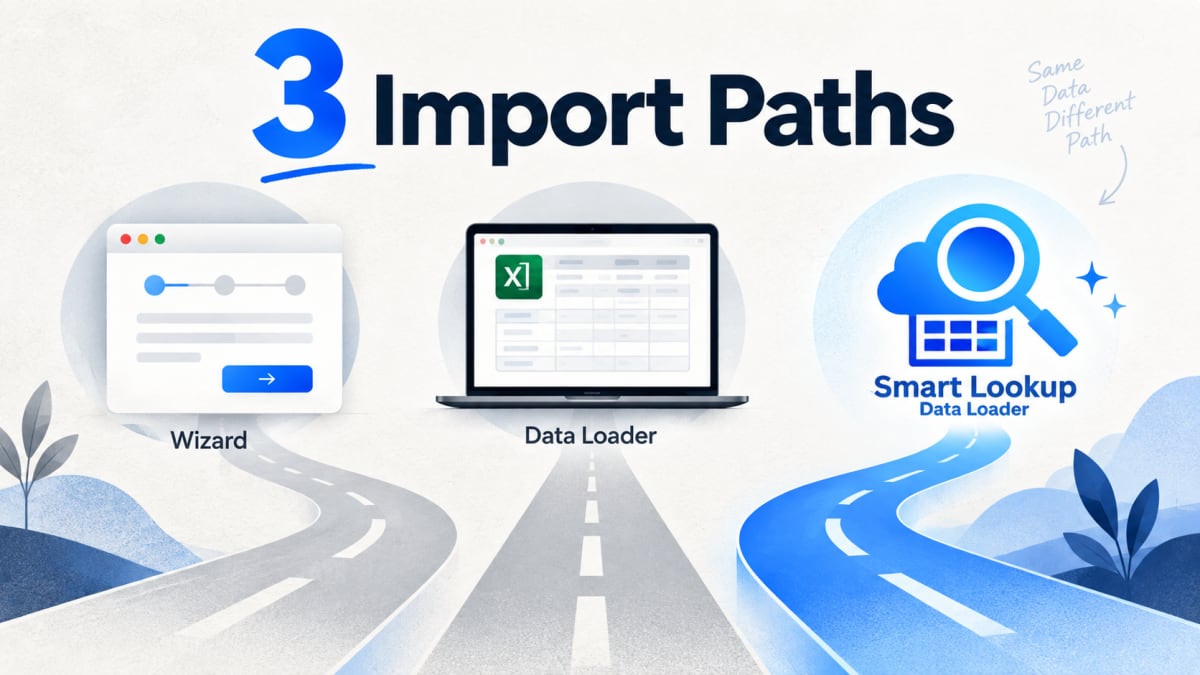
Three tools, overlapping jobs, and the usual advice is “use the Wizard for small loads and Data Loader for big ones.” That is true as far as it goes, and it misses the thing that actually decides most imports.
Data Import Wizard
Built into Setup. No installation, runs in the browser, guided step by step.
Good for: ad hoc loads of Accounts, Contacts, Leads, Campaign Members, Person Accounts and custom objects, up to 50,000 records. Duplicate matching on a small set of standard rules. Admins who import rarely and want guardrails.
Where it stops: the 50,000 record limit is hard. It does not cover every object, so Opportunities and many others are out. It cannot delete. Field mapping is manual for anything it does not recognise, and lookup handling is limited to the matching options it offers.
Data Loader
Salesforce’s desktop application. Handles up to five million records, covers every object, supports insert, update, upsert, delete and hard delete, and can be scripted from the command line.
Good for: large migrations, scheduled loads, anything needing delete operations, and teams comfortable with a command line.
Where it stops: it is desktop software, which means installing it, keeping it updated, and dealing with a Java runtime on some platforms. Lookup fields expect record IDs, so files almost always need a VLOOKUP pass first. Errors come back as a batch-level file you reconcile against your source by hand. And it lives on one person’s laptop, which becomes a problem when that person is on leave.
Smart Lookup Data Loader
A native managed package that runs inside Salesforce.
Good for: the majority of routine and migration loads where the file references related records by name, email or code rather than ID. Auto-mapped headers, lookups resolved during the load, multi-field match rules and row-level error reporting.
Where it stops: it is an import tool. It does not do scheduled or command-line loads, and it is not an ETL platform.
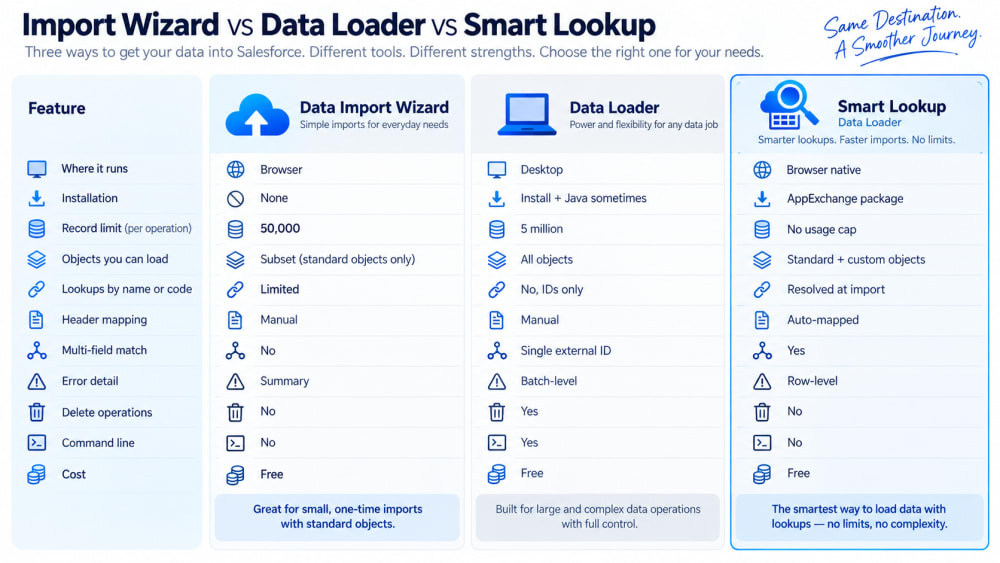
Side by side
| Data Import Wizard | Data Loader | Smart Lookup Data Loader | |
|---|---|---|---|
| Where it runs | Browser, in Setup | Desktop application | Browser, native in your org |
| Installation | None | Install, plus Java on some platforms | Managed package from AppExchange |
| Record limit | 50,000 | 5 million | No usage cap |
| Objects | A defined subset | All | Standard and custom |
| Lookups by name or code | Limited | No, IDs only | Resolved at import |
| Header mapping | Manual | Manual | Auto-mapped |
| Multi-field match | No | Single external ID | Yes |
| Error detail | Summary | Batch-level file | Row-level |
| Delete operations | No | Yes | No |
| Command line | No | Yes | No |
| Cost | Free | Free | Free |
Comparison reflects publicly documented behaviour at the time of writing. Verify against current Salesforce documentation before relying on any specific limit.
How to choose
Under 50,000 records, a supported object, no awkward lookups: the Wizard is already there and will be faster than installing anything.
You need deletes, scheduling or command-line automation: Data Loader. Nothing else in this list does those.
Your file references related records by name, email or external code, which is most files: the question is whether you want to spend the prep time or not. That is the case Smart Lookup Data Loader was built for, and it is why “small versus large” is the wrong first question. The deciding factor is usually the shape of your lookups, not the row count.
Most teams end up using more than one. The Wizard for quick one-offs, Data Loader for deletes and scripted jobs, and a native loader for the regular work where the file came from somewhere that has never heard of a Salesforce record ID.

Import by name, email or code. Skip the VLOOKUP.
Smart Lookup Data Loader is a free, 100% native Salesforce app by TwinStack. Lookups resolve as records land, upserts match on several fields, and every failed row tells you why.
Get It Now, Free