
As a Salesforce admin, one of your key responsibilities is to ensure that your Salesforce environment is populated with accurate, up-to-date data. However, the process of importing data can often be a complex and time-consuming task.
Whether you're dealing with a bulk import or updating existing records, the manual effort required can quickly lead to frustration. But it doesn't have to be this way. With Smart Lookup Data Loader, managing data imports has never been easier. In this blog post, we’ll discuss how the tool removes complexity and enhances productivity by automating key tasks.
The Traditional Challenges of Data Imports in Salesforce
Before we look at the solution, let's review the common obstacles Salesforce admins face with traditional data imports:
1. Time-Consuming Data Mapping
In manual data imports, mapping each CSV column to a Salesforce field can take hours, especially if you're working with large datasets or custom objects.
2. Managing Errors and Duplicates
Import errors, such as duplicate records or incorrect field mappings, are common in traditional imports, requiring extra time to troubleshoot and resolve manually.
3. Data Validation
Checking for data consistency—such as date formats or required field presence—is a manual hurdle that, if skipped, leads to broken records and dirty data.
How Smart Lookup Data Loader Simplifies the Process
Smart Lookup Data Loader is built to handle the heavy lifting of data management. Here is how it lets you manage imports without breaking a sweat:
Intelligent Auto-Field Mapping
One of the standout features of Smart Lookup Data Loader is its auto-mapping capability. It intelligently identifies column headers and matches them to Salesforce fields automatically, cutting down on manual setup time.
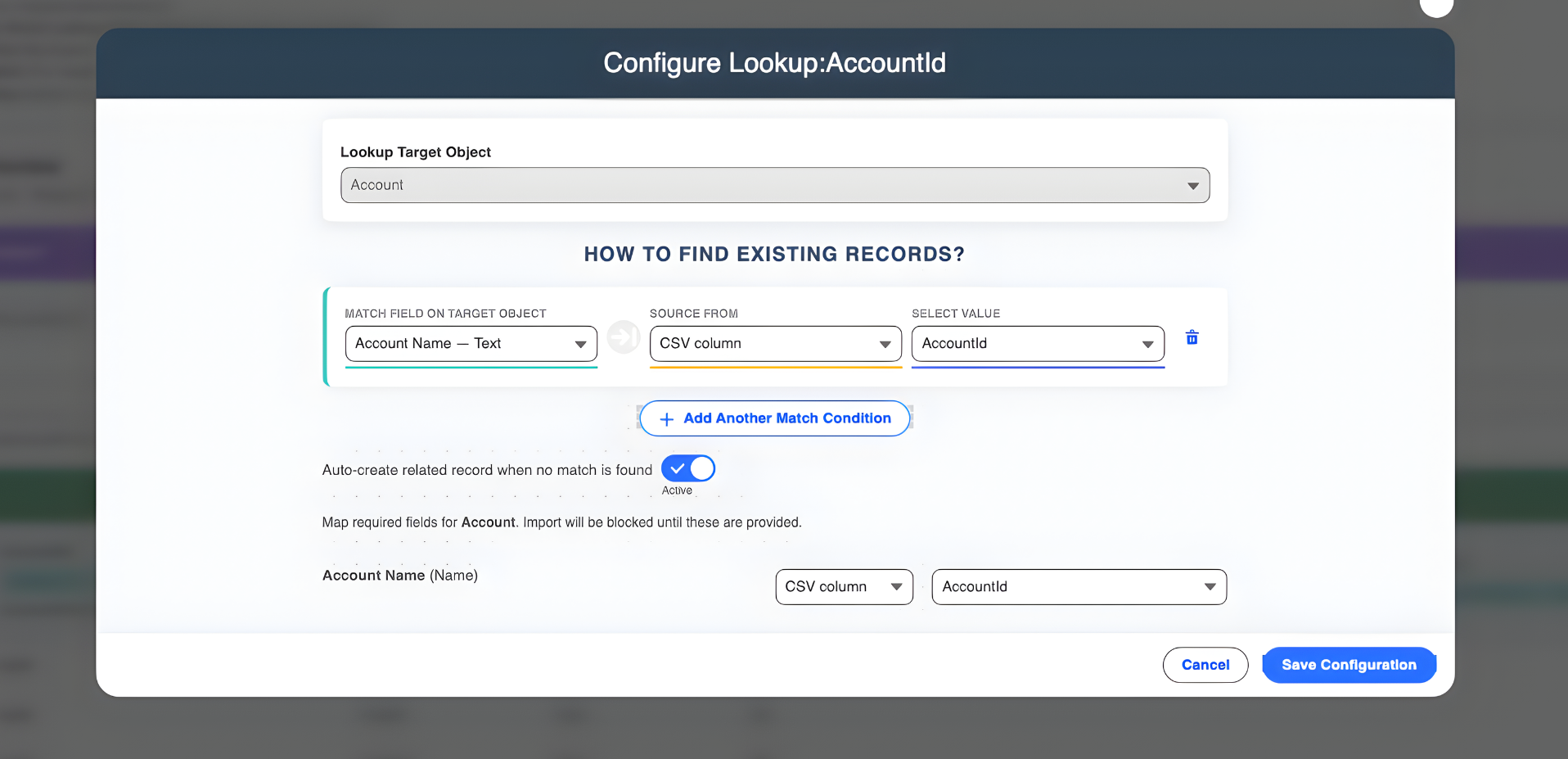
Seamless Upsert Functionality
No more worrying about duplicates. The upsert feature checks your existing records and updates them based on unique IDs, inserting new records only when necessary. This ensures your Salesforce instance stays clean and organized.
Real-Time Error Tracking and Validation
Smart Lookup Data Loader validates your data before it hits Salesforce. If there's an issue with a specific record, the tool highlights it immediately, providing clear error logs so you can fix the data and proceed without a full import failure.
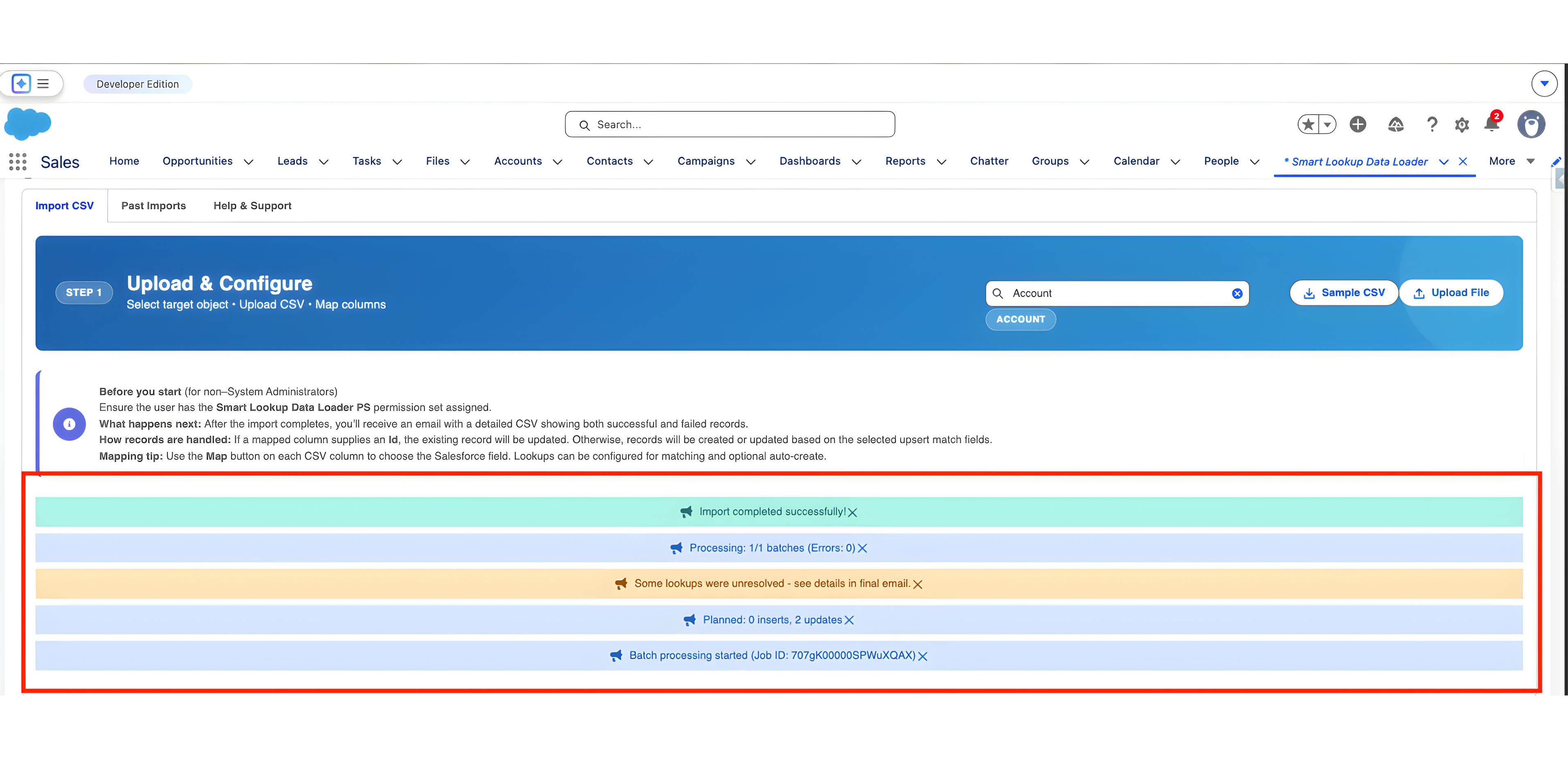
Support for Bulk Imports and Custom Objects
Whether you are importing thousands of records or working with complex custom objects, the tool handles high-volume processing with ease, ensuring speed and reliability every time.
The Benefits of Using Smart Lookup Data Loader
- Saves Time: Automating mapping and validation significantly reduces the time spent on every import.
- Reduces Errors: Built-in validation ensures that only clean, accurate data enters your system.
- Simplifies Complex Imports: Handles both standard and custom objects with the same effortless flow.
- Improves Data Integrity: Prevents duplicates and maintains consistency across your database.
- Increases Efficiency: Allows admins to focus on strategic high-value tasks while the tool handles the heavy lifting.
Conclusion
Managing data imports into Salesforce doesn't have to be a source of stress. Smart Lookup Data Loader simplifies the entire workflow by automating repetitive tasks like field mapping and duplicate prevention.
By choosing automation over manual effort, you can ensure that your Salesforce data imports are faster, more efficient, and virtually error-free.
Ready to simplify your data imports?
Try Smart Lookup Data Loader today and experience how easy Salesforce data management can be.
View on AppExchange