
Data imports are a necessary but often time-consuming and error-prone part of managing Salesforce. Whether you're migrating data from an external system, syncing records, or updating customer information, the manual data import process can cause chaos in your workflow, especially when handling large datasets.
However, automation is the key to transforming this chaotic process into a streamlined and efficient task. We’ll highlight how automating data imports with Smart Lookup Data Loader can save your team time, reduce mistakes, and maintain cleaner, more accurate Salesforce records.
The Challenges of Manual Data Imports
Before we dive into the solution, let's look at the common problems caused by manual data imports in Salesforce.
1. Time-Consuming and Tedious Process
- Manual Mapping: When importing data manually, every field must be mapped to the corresponding Salesforce field, often requiring hours of effort for large datasets.
- Data Formatting: Preparing the data (e.g., ensuring correct date formats, cleaning up inconsistent values) can also be extremely time-consuming.
- Repetitive Tasks: If you need to perform the same import operation multiple times (e.g., weekly or monthly imports), the manual process becomes a major drain on resources.
2. Human Errors and Inconsistencies
- Incorrect Field Mappings: It's easy to miss mapping a field or mapping it to the wrong place, leading to data errors in Salesforce.
- Missing Data: During manual imports, required fields can often be overlooked, resulting in incomplete records.
- Duplicate Records: Without automated checking, importing the same data multiple times can lead to a messy Salesforce instance full of duplicates.
Moving from Chaos to Clarity: How Smart Lookup Data Loader Automates Imports
Smart Lookup Data Loader is designed to automate the heavy lifting of importing data into Salesforce. Here’s how it transforms your process:
1. Automatic Field Mapping
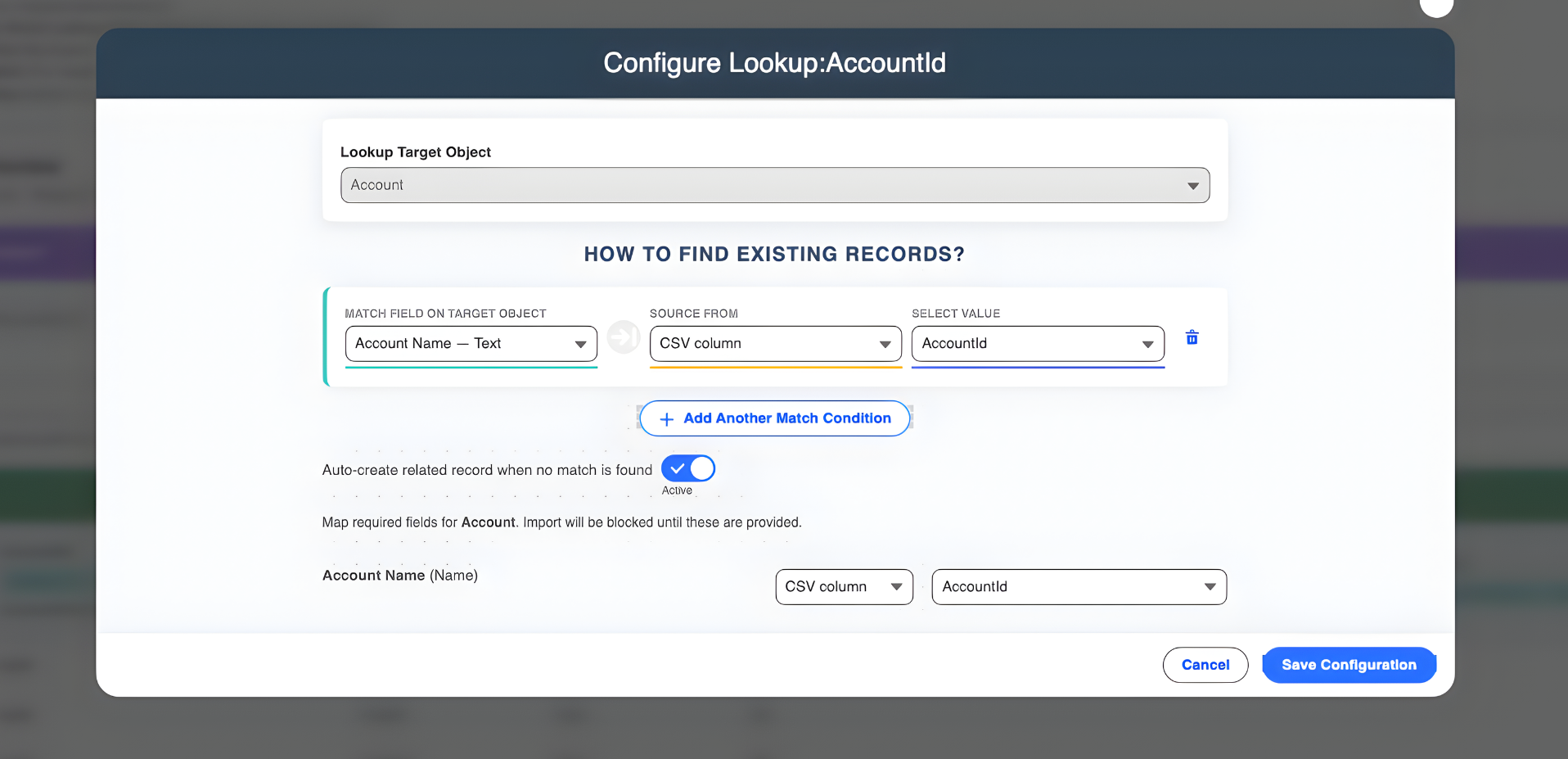
Say goodbye to manual mapping. Smart Lookup Data Loader automatically detects column headers in your CSV file and maps them to the correct Salesforce fields. If your column headers match your Salesforce field names, the tool handles the mapping for you instantly.
2. Real-Time Data Validation
Automation means you don't have to double-check every record for errors. Smart Lookup Data Loader validates your data in real-time, catching issues like missing required fields or incorrect data types before the import even begins.
3. Upsert Functionality and Duplicate Prevention
One of the biggest advantages of automation is duplicate prevention. Smart Lookup Data Loader’s upsert feature checks for existing records based on unique identifiers and updates them, while inserting new records only when they don't already exist.
4. High-Performance Bulk Processing
Manual imports can take hours for large datasets. Smart Lookup Data Loader is optimized for speed and efficiency, allowing you to process thousands of records in minutes without any performance lag.
5. Streamlined Error Tracking
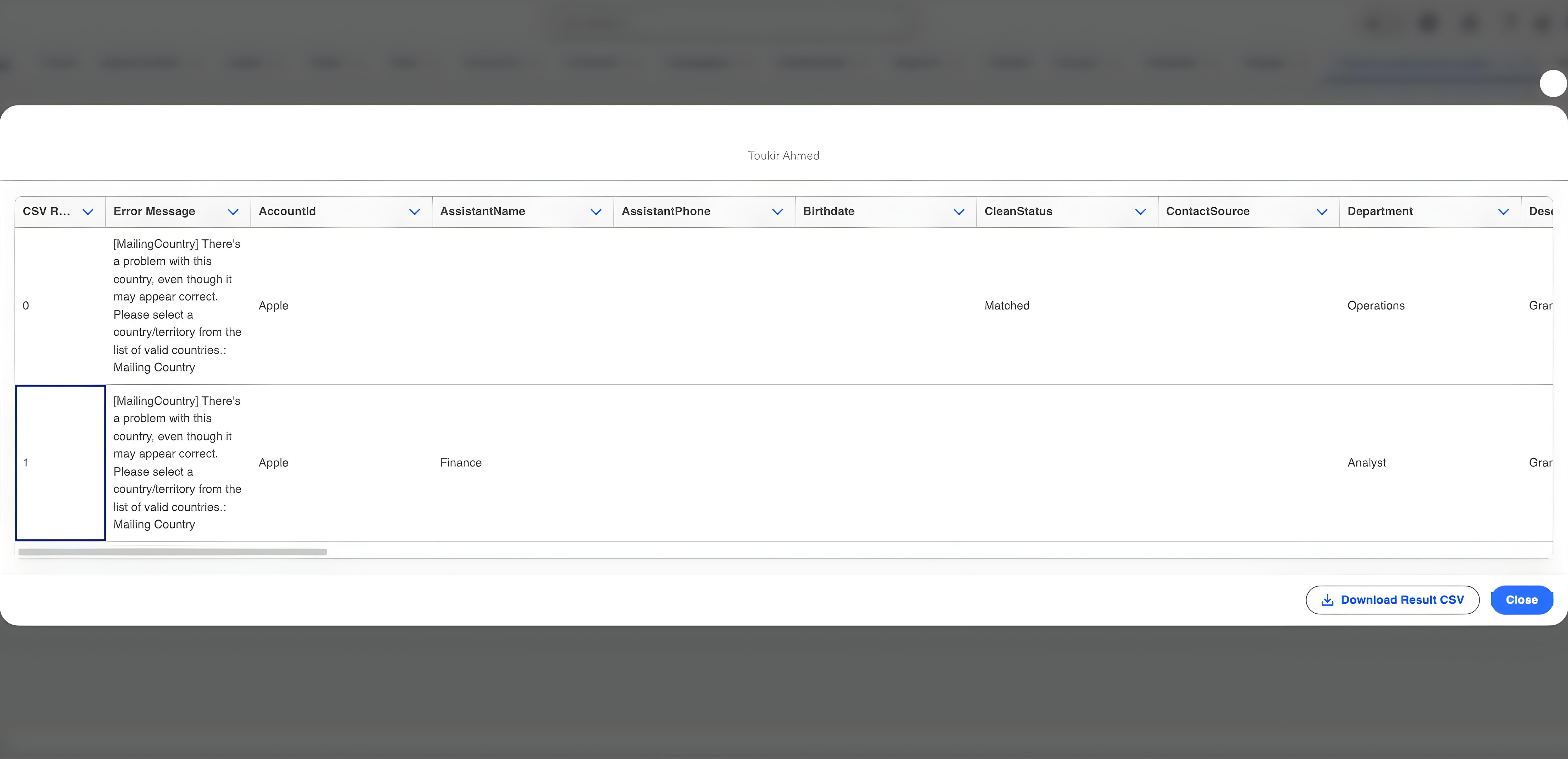
When something goes wrong, you don’t want to hunt for the error. Smart Lookup Data Loader provides detailed error logs and an Import History tab, making it easy to identify and fix issues immediately.
The Benefits of Automating Data Imports
- Saves Time: By automating mapping, validation, and upsert functionality, the tool speeds up the import process significantly.
- Reduces Errors: Built-in detection and real-time validation minimize human errors.
- Prevents Duplicate Records: The upsert functionality ensures that duplicates are automatically prevented.
- Streamlines Workflow: Automation of repetitive tasks allows teams to focus on more strategic work.
- Enhances Data Integrity: Ensures consistency so your Salesforce records always reflect accurate information.
Conclusion
Automating data imports in Salesforce with Smart Lookup Data Loader eliminates the chaos and frustration associated with manual imports. By automating key tasks such as field mapping, data validation, and duplicate prevention, Smart Lookup Data Loader saves your team time and ensures that your Salesforce records remain clean and accurate.
Ready to end the chaos?
Try Smart Lookup Data Loader today and experience the power of automation in Salesforce!
View on AppExchange