
Data imports are an essential part of Salesforce administration, but they can be one of the most frustrating challenges users face. Import errors delay your workflow and risk damaging the integrity of your data.
Common issues like incorrect field mappings, duplicate records, and missing required data can derail an import process. Fortunately, with Smart Lookup Data Loader, you can easily avoid and fix these errors. In this post, we’ll discuss the most common data import errors in Salesforce and show how the tool helps you resolve them effortlessly.
1. Incorrect Field Mappings
The Issue
This occurs when the columns in your CSV file don’t match the Salesforce fields properly. For example, if your file has a column called "First_Name" but Salesforce uses "FirstName," the data might be skipped or placed in the wrong field.
The Solution
Smart Lookup Data Loader’s auto-field mapping feature intelligently matches your CSV headers to Salesforce fields. By automating this setup, it significantly reduces the risk of mapping errors.
2. Duplicate Records
The Issue
Importing the same record multiple times leads to data clutter, making reporting inaccurate and confusing for sales and service teams.
The Solution
The upsert functionality ensures that duplicates are automatically prevented. It checks for existing records based on unique identifiers and updates them if they exist, or inserts them only if they are new.
3. Missing Required Data
The Issue
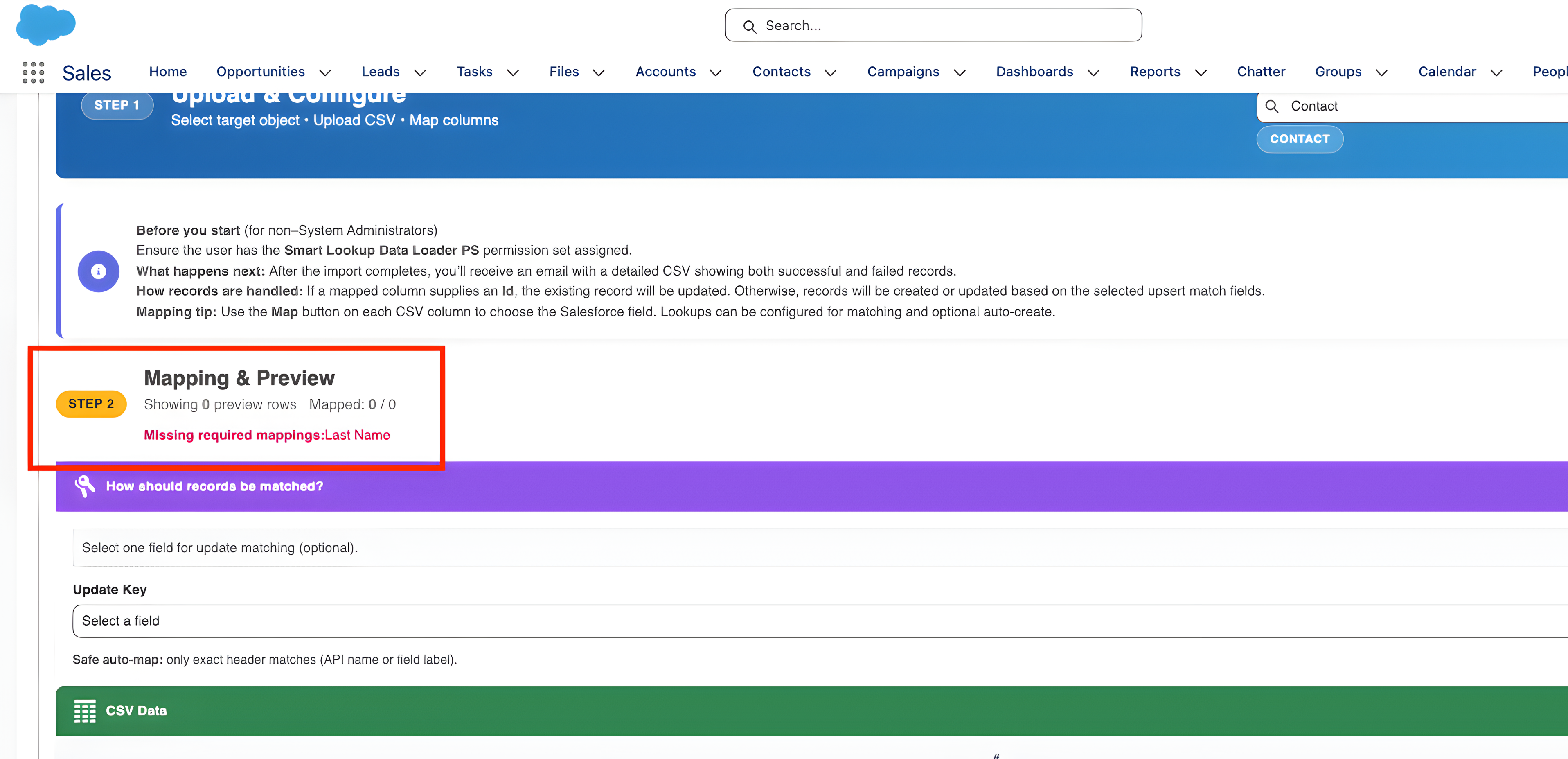
Salesforce requires certain fields to be populated. If your CSV is missing data for a required field, the entire import row will fail.
The Solution
Smart Lookup Data Loader provides real-time data validation. It scans your file before the import begins and alerts you to missing values, allowing you to fix the file before hitting "Import."
4. Problems with Lookup Relationships
The Issue
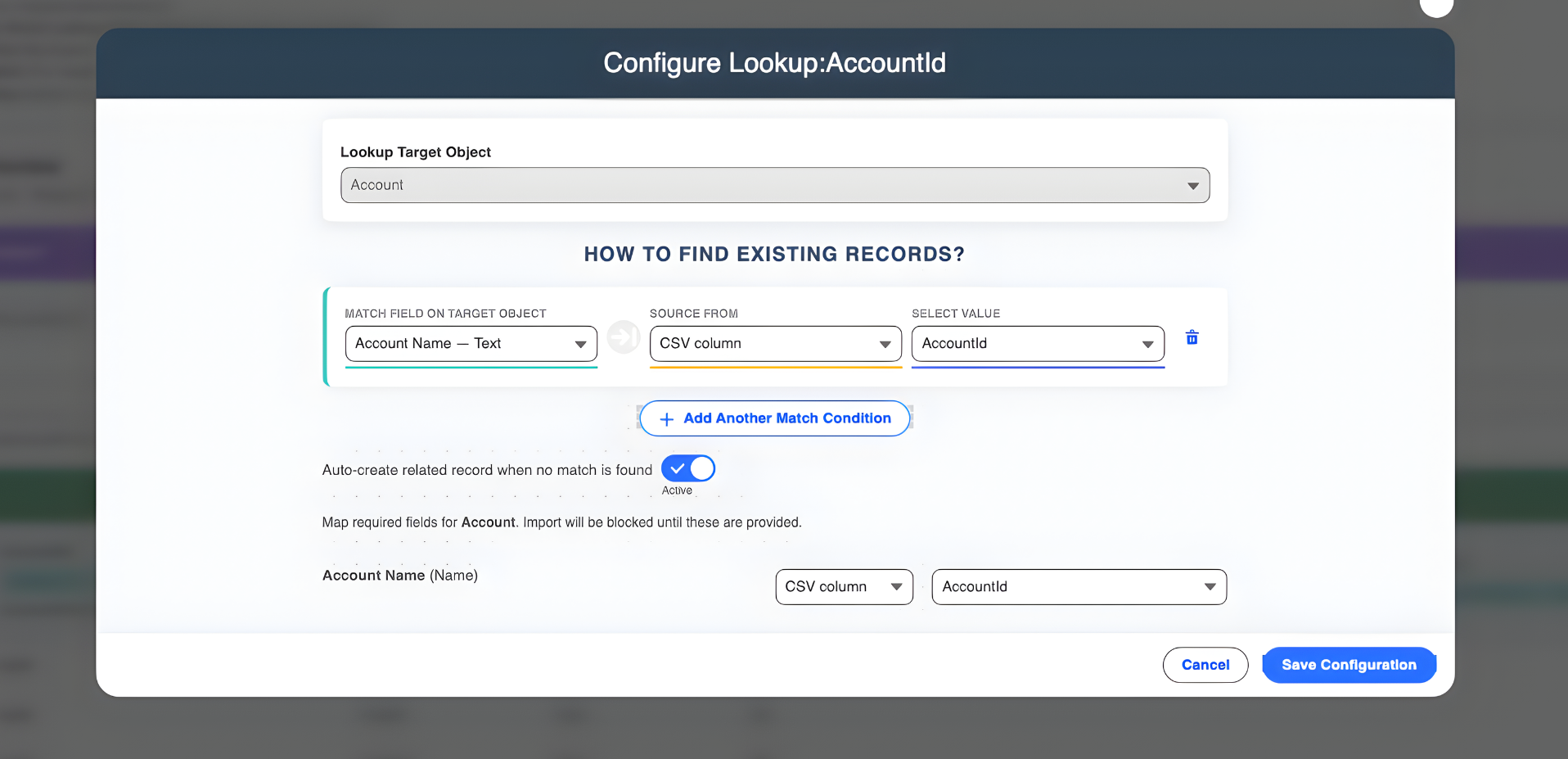
Linking records across objects (e.g., matching a Contact to an Account) often requires complex ID matching, which is difficult to manage in manual CSV files.
The Solution
The tool simplifies lookup relationships. It allows you to match records using easy-to-read fields (like Account Name) rather than long Salesforce IDs, handling the technical linking behind the scenes.
The Benefits of Using Smart Lookup Data Loader
- Faster Imports: Speed up the entire process by avoiding delays caused by manual error handling.
- Increased Accuracy: Automate key tasks like field validation and relationship mapping.
- Error-Free Data: Real-time detection ensures your data is clean before it enters your system.
- Improved Productivity: Free up your time to focus on strategic tasks instead of troubleshooting logs.
Conclusion
Data import errors don’t have to be a headache. With Smart Lookup Data Loader, you can ensure a smooth, efficient process every time. Whether it’s preventing duplicates or resolving lookups, this tool makes it easy to manage Salesforce data without breaking a sweat.
Ready to make your Salesforce data imports error-free?
Try Smart Lookup Data Loader today and see how it can simplify your data import process and help you avoid costly mistakes.
View on AppExchange