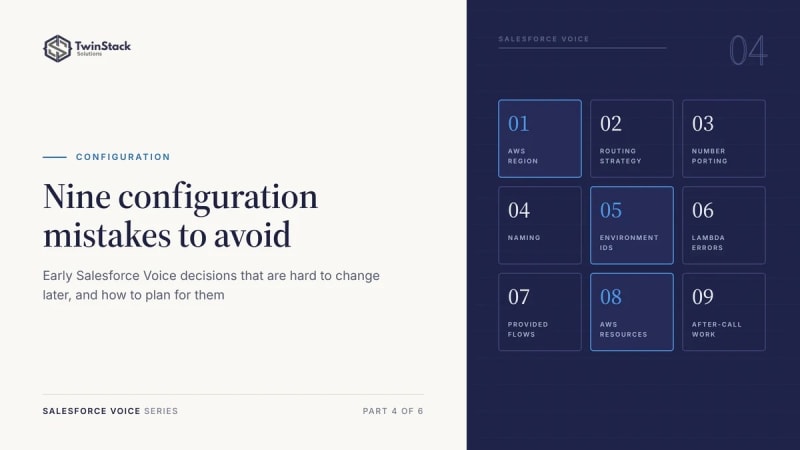
Short answer: most Salesforce Voice problems start with early decisions that are hard to change later: the AWS Region, the routing design, naming, environment IDs and how you customise managed resources. Plan these before you build.
1. Choosing an AWS Region without long-term requirements
Your Amazon Connect Region affects latency, data residency, telephony availability and access to supporting services. Choose a supported Region after reviewing caller locations, agent locations, compliance needs and integrations. Moving later is a migration project, not a settings change.
2. Leaving routing strategy until implementation
Routing should reflect how you operate, not emerge by accident while flows are built. Define queues, routing profiles, agent skills, business hours, overflow paths and escalation rules first. Agree how Omni-Channel and Amazon Connect share work distribution, so their responsibilities do not conflict.
3. Starting phone number porting too late
Porting depends on external carriers and country-specific rules. Wrong ownership details or missing documents can delay approval. Start early, confirm requirements, test with temporary numbers, and agree a cut-over and fallback plan before you announce a launch date.
4. Treating instance aliases and naming as an afterthought
An Amazon Connect instance alias cannot simply be renamed after creation, so choose it carefully. Set naming conventions for flows, queues, routing profiles and functions, with the business purpose and environment in the name, so admins can tell resources apart quickly.
5. Hard-coding environment-specific IDs
Success in a sandbox does not guarantee production readiness. Salesforce IDs, queue ARNs, Lambda ARNs and other references can change between environments. Use supported configuration methods, deployment parameters and resource mapping, and check references after each deployment.
6. Leaving out Lambda failure handling
Lambda functions often handle lookups and data exchange between Amazon Connect and Salesforce. Handle invocation errors, timeouts and failed business responses explicitly. Provide safe fallback routing or caller messages, turn on monitoring, and test failure cases, not only successful ones.
7. Editing Salesforce-provided flows without an upgrade plan
Not every supplied flow should be edited directly. Check who owns it and how it is meant to be extended. Where appropriate, clone it or save it as a new flow, assign it, and document the change. Review custom copies when Salesforce updates the original.
8. Changing managed AWS resources outside the supported process
Manual changes to stack-managed resources can cause CloudFormation drift. In Salesforce-managed deployments, confirm who owns a resource before changing IAM roles, integrations or other infrastructure. Use supported customisation paths and review drift before upgrades.
9. Leaving after-call work time to chance
After-call work (ACW) time decides how long an agent has to finish notes before the next call arrives. Too short, and agents take calls with the last case half-logged. Too long, and capacity sits idle. Set the wrap-up time deliberately for each team, for example a short window of around 20 seconds for simple calls and longer where agents log detailed cases, then review it against handle-time reports.
Frequently asked questions
Can I change the Amazon Connect Region later?
Not with a setting. Moving Region means migrating the instance, numbers and integrations, so choose it at the start.
Why do Salesforce Voice deployments break between sandbox and production?
Usually because IDs and ARNs were hard-coded. Use deployment parameters and resource mapping, and check references after each deployment.
Should I edit the flows Salesforce provides?
Check how each flow is meant to be extended. Often the safer route is to clone it, assign the copy and document the change.
How long should after-call work be?
It depends on the team. Start with a short window for simple calls and a longer one for detailed case logging, then adjust using handle-time reports.
Want a second pair of eyes on your Salesforce Voice design? Talk to us.